EFFECTS // ROBLOX STUDIO
How to make fire in Roblox Studio
Use two ParticleEmitters in Roblox Studio to play a looping fire, from a burning wreck to a fire whirl or a window fire, one for smoke and one for the glowing flame. Upload your 1024 px, 64-frame textures to each emitter, set FlipbookLayout to Grid8x8 and set FlipbookMode to Loop.
- Godot 4 Available
- Unity Manual setup
- Unreal Engine Manual setup
- Roblox Studio Manual setup
- three.js Available
A draft compile is from $0.05, and new accounts start with $5 of usage.

01 // WHAT YOU GET
What you get for fire in Roblox Studio
Three fire examples come ready to start from. The steady fire is about 1.5 m across and reads as a burning wreck or a large campfire. The fire whirl spins its flames into a column 7 m tall. The window fire vents flame and smoke out of a burning room. All three loop every 2 seconds.
Each compile is four 2048 px PNG sheets of 64 frames on an 8 x 8 grid, a layout.json with the timing, and previews. The sheets carry lighting from six directions and the flame separately, not one painted color image, so for Roblox Studio you turn them into one image per ParticleEmitter: a smoke texture and, for flame, a second one on black.
02 // BY HAND TODAY
Set up the fire in Roblox Studio by hand
- Ask your agent for the effect (for example "a campfire about 1 m across that loops") with
export.tile_px = 128, so each 8 x 8 sheet is 1024 x 1024 px, the largest image Roblox keeps. - A ParticleEmitter takes one texture, so pack the smoke into one image: ask for
export.packto write the light from above (green ofmain_pos.png) into RGB and opacity (alpha ofmain_pos.png) into alpha. For the flame, make a second image on black:main_colour.pngtimes the squared alpha ofmain_neg.png, normalized to the clip's peak (how and why). - Upload each image in the Asset Manager and paste its id into the Texture of its own ParticleEmitter, both on one Attachment in the same part.
- Set FlipbookLayout to Grid8x8 on both emitters and FlipbookMode to Loop, with FlipbookFramerate at 30, the Roblox maximum, so the fire's 64 frames take 2.1 s instead of 2 s. Set Rate to 0 and emit both from one script call (keep it burning) with matching fixed settings (alignment).
- Flame emitter: LightEmission 1, LightInfluence 0, Brightness
scales.emit_max_hdr. Smoke emitter: LightEmission 0, LightInfluence 1. Set Size on both emitters to the meters per tile inlayout.jsonconverted to studs, a little over 25 studs for the fire.
03 // REAL OUTPUT
Compare the fire examples
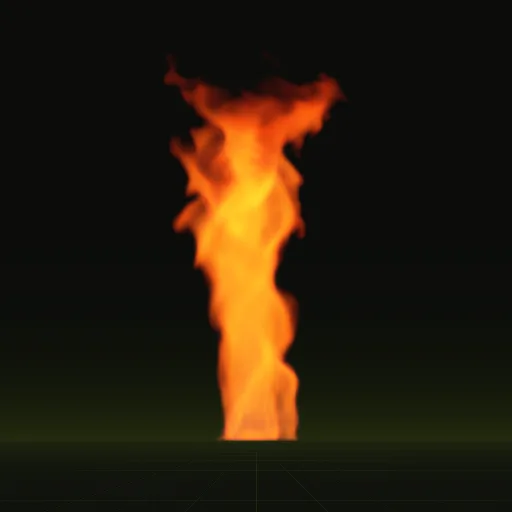
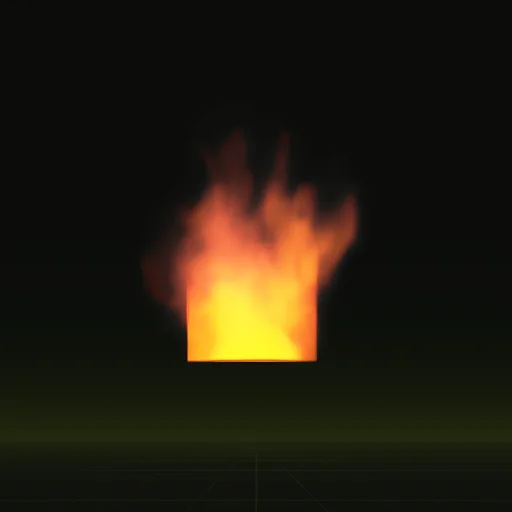
These clips are final-quality compiles of the shipped examples, played from their own sheets. Your agent can start from any of them.
04 // ADJUST IT
Adjust the fire for your scene
Pick the example closest to your scene and ask your agent to change it: a smaller fire for a torch-lit hall, darker smoke for burning oil, or a new seed when two fires sit side by side and should not match.
Each loop runs for as long as the scene needs it, so one compile covers a fire that burns for the whole level.
05 // WHICH ONE
Pick a fire example
fire: A steady fire about 1.5 m across, like a burning wreck. Loops, 4.1 x 7.0 m, 2 s loop.fire_whirl: Flames spun into a tall column by a vortex force. Loops, 4.4 x 7.1 m, 2 s loop.window_fire: A burning room venting flame and smoke through a window. Three obstacles make the building. Loops, 3.9 x 4.7 m, 2 s loop.
Each one has its own page: Fire, Fire whirl, Window fire.
How do I get a looping fire effect for Roblox Studio?
Start from fire, fire_whirl or window_fire and ask your agent for a looping campfire about 1 m across. Play the compiled textures in Roblox Studio.
How do I import a fire flipbook texture into Roblox Studio?
Upload two 1024 x 1024 PNGs, one for smoke with opacity in alpha and one for flame on black, then paste each id into its ParticleEmitter Texture.
How do I randomize the starting frame of Roblox fire flipbook particles?
Leave FlipbookStartRandom off on both emitters when flame and smoke are separate so they stay in sync and stagger paired Emit(1) calls instead.
How do I make the Roblox fire flame glow with LightEmission and Brightness?
Put the flame on its own emitter using main_colour.png times squared main_neg.png alpha on black, then set Brightness to scales.emit_max_hdr, LightEmission 1 and LightInfluence 0.
Do the first and last frames of a Roblox fire loop match?
Yes. The fire compile blends its last 12 frames into its first, so frame 64 leads straight back to frame 1 every 2 s.
Compile your first effect
You pay per compile and see the price before it runs. New accounts start with $5 of usage.