EFFECTS // ROBLOX STUDIO
How to make smoke in Roblox Studio
In Roblox Studio, one ParticleEmitter plays smoke that loops as a leaning plume or rises once after a blast. Upload your 1024 px sheet with 64 frames, set FlipbookLayout to Grid8x8 and FlipbookMode to Loop or OneShot.
- Godot 4 Available
- Unity Manual setup
- Unreal Engine Manual setup
- Roblox Studio Manual setup
- three.js Available
A draft compile is from $0.05, and new accounts start with $5 of usage.

01 // WHAT YOU GET
What you get for smoke in Roblox Studio
Two smoke examples cover steady and one-time smoke. The smoke plume leans with the wind and loops every 4 seconds, about 7 m wide and 10.8 m tall, like smoke from a chimney or a wreck. The smoke column climbs, spreads and thins over 5 seconds after a burst, about 8.2 by 9.9 m.
Each compile is three 2048 px PNG sheets of 64 frames on an 8 x 8 grid, a layout.json with the timing, and previews. The sheets carry lighting from six directions, not one painted color image, so for Roblox Studio you turn them into one image per ParticleEmitter: a smoke texture.
02 // BY HAND TODAY
Set up the smoke in Roblox Studio by hand
- Ask your agent for the effect (for example "dark smoke rising from a burning car, looping") with
export.tile_px = 128, so each 8 x 8 sheet is 1024 x 1024 px, the largest image Roblox keeps. Also ask forexport.pacing = "even": OneShot spaces the frames evenly over Lifetime, and the example spends more frames on its fast start. - A ParticleEmitter takes one texture, so pack the smoke into one image: ask for
export.packto write the light from above (green ofmain_pos.png) into RGB and opacity (alpha ofmain_pos.png) into alpha. - Upload the image in the Asset Manager and paste its id into the Texture of a ParticleEmitter.
- Set FlipbookLayout to Grid8x8 and FlipbookMode to Loop for the plume (FlipbookFramerate 16) and OneShot for the column (Lifetime 6, Rate 0, triggered with
Emit(1)). - Set LightInfluence to 1 so the smoke takes the scene light, and keep LightEmission at 0. Set Size to the meters per tile in
layout.jsonconverted to studs, a little over 39 studs for the smoke.
03 // REAL OUTPUT
Compare the smoke examples
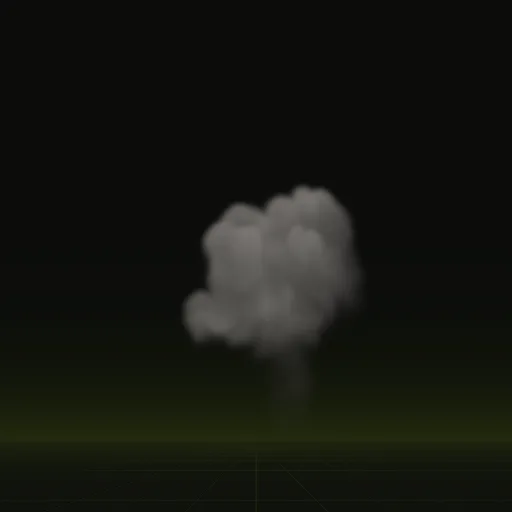
These clips are final-quality compiles of the shipped examples, played from their own sheets. Your agent can start from any of them.
04 // ADJUST IT
Adjust the smoke for your scene
Lighting matters most for smoke, because a flat sprite looks wrong the moment your sun moves. Ask your agent for thicker or thinner smoke, a different color, or more lean in the wind.
Put the plume where something keeps burning and play the column once after an explosion ends.
05 // WHICH ONE
Pick a smoke example
smoke_plume: Chimney or wreck smoke leaning with the wind. Loops, 7.0 x 10.8 m, 4 s loop.smoke_column: Smoke left after a burst. It climbs, spreads and thins. Plays once, 8.2 x 9.9 m, 5.0 s.
Each one has its own page: Smoke plume, Smoke column.
How do I get a smoke effect for Roblox Studio?
Start from smoke_plume or smoke_column and ask your agent for dark looping smoke rising from a burning car. Play the compiled texture in Roblox Studio.
How do I import a smoke flipbook texture into Roblox Studio?
Upload one 1024 x 1024 PNG with color in RGB and opacity in alpha, paste its id into a ParticleEmitter Texture and set FlipbookLayout to Grid8x8.
How do I randomize the starting frame of Roblox smoke flipbook particles?
Turn on FlipbookStartRandom so each new particle starts on a random frame of the 64, which works well for looping smoke.
How do I make Roblox smoke respond to lighting with LightInfluence?
Set LightInfluence to 1 and LightEmission to 0 so the smoke darkens in shade and brightens in sun, though it cannot relight from six directions.
How many frames does a Roblox Studio smoke effect use?
The smoke compiles use 64 frames over a 4 s loop for the plume and a 6 s clip for the column, smoothed by frame blending.
Compile your first effect
You pay per compile and see the price before it runs. New accounts start with $5 of usage.