SPRITE SHEET // SMOKE
Smoke sprite sheet for your game
You get smoke as a sprite sheet of 64 frames on an 8 x 8 grid, 2048 px square: either a 4 second loop that leans with the wind or a 5 second burst that climbs and thins. Ask your agent for the smoke you need. In Godot 4 it relights itself when your sun moves.
- Godot 4 Available
- Unity Manual setup
- Unreal Engine Manual setup
- Roblox Studio Manual setup
- three.js Available
A draft compile is from $0.05, and new accounts start with $5 of usage.

01 // WHAT YOU GET
A rising plume and a fading column
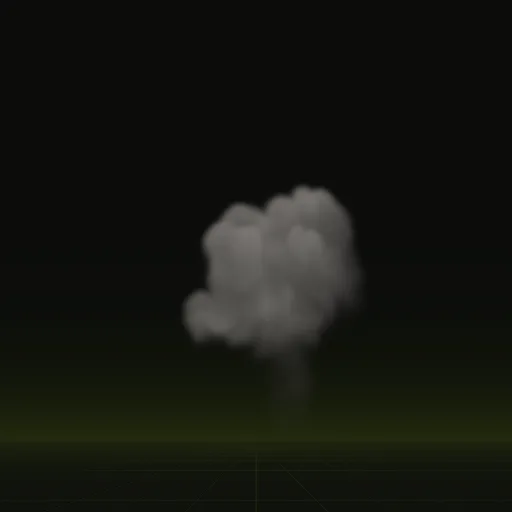
smoke_plume: dark smoke from a chimney or a wreck, leaning with a light wind, up to 7.0 x 10.8 m. It loops every 4 seconds at 16 frames a second.smoke_column: the smoke left after a burst. It climbs, spreads and thins over 5.0 s, up to 8.2 x 9.9 m, and then it is gone.
Neither compile has flame, so each one writes three sheets: two for lighting and opacity, and one for motion and depth.
02 // RELIGHTING
Smoke that follows your sun
A painted smoke sheet has its light drawn in, often from the top left, and keeps it when your level's sun sets in the west. These sheets carry six-way lighting, lighting precomputed from six directions so the smoke can be relit: right, left, above, below, front and back, three directions per sheet.
In Godot 4 the shader mixes the six by the direction of your DirectionalLight3D and adds your ambient light, so a plume lit from the left is bright on its left side and dark on its right, and the shading turns as the sun turns.
03 // HOW TO
Get a smoke sheet for your scene
- Connect your agent to Spatial Compiler with an API key, using MCP, the protocol your agent uses to call tools.
- Ask for the smoke in plain words: a thin grey plume from a farmhouse chimney, or a black cloud after a fuel tank explodes.
- To change it, ask for darker or lighter smoke, a stronger wind, or a longer loop. Your agent changes the matching setting and compiles again.
- In Godot 4, ask it to wire the compile. You get a scene with the smoke on a quad, its base on the ground.
04 // ENGINES
Smoke in Unity, Unreal Engine, Roblox Studio and three.js
You can play the sheets by hand today, with opacity from the alpha of main_pos.png and brightness from its green channel (light from above) tinted with your smoke color. The smoke keeps that one lighting in those engines, so pick the channel that matches where your sun usually sits.
How many frames should a smoke effect use?
64 frames cover the 4 second smoke loop at 16 frames a second. In Godot the shader blends between frames along stored motion.
How do I use a smoke sprite sheet in Unity?
Request one packed RGBA sheet with top light in RGB and opacity in alpha, then set Texture Sheet Animation to Tiles 8 by 8.
How do I make smoke respond to scene lighting in Unity?
Use a custom shader that mixes the six lighting channels by your light direction, since Spatial Compiler ships that shader for Godot.
How do I make smoke particles respond to lighting using LightInfluence?
Set LightInfluence near 1 so scene lights tint the smoke, keep LightEmission at 0 and use one packed RGBA texture.
How does six way lighting improve flipbook smoke?
It lets one smoke sheet look right under any sun angle by storing brightness from six directions so the shader relights it.
Compile your first effect
You pay per compile and see the price before it runs. New accounts start with $5 of usage.