LEARN // EFFECTS
What is a sprite sheet
A sprite sheet is a single image that packs many sprites or animation frames side by side, so your engine loads one texture instead of dozens of small files. It cuts each frame out by its position on the sheet, then shows the frames in order to animate a 2D character, an icon set or a particle effect.
- Godot 4 Available
- Unity Manual setup
- Unreal Engine Manual setup
- Roblox Studio Manual setup
- three.js Available
A draft compile is from $0.05, and new accounts start with $5 of usage.
01 // WHY GAMES USE THEM
One texture instead of a folder of frames
Each separate image costs a file load and often its own draw call, the request that tells the renderer to draw something with one texture. With 64 frames on one sheet you load one file and keep one texture in memory, and particles that share its material can be drawn together.
A sheet can be a regular grid, where every frame has the same size, or a packed layout with frames of different sizes plus a JSON or XML file that lists each frame's rectangle. Effects nearly always use the grid, because a particle shader can find any frame with arithmetic.
02 // IN YOUR ENGINE
How each engine reads a sprite sheet
- Godot 4:
Sprite2DandSprite3Dhave Hframes, Vframes and aframeindex, and the SpriteFrames editor can add frames toAnimatedSprite2Dfrom a sheet. - Unity: for 2D, set the texture's Sprite Mode to Multiple and slice it by grid in the Sprite Editor. Particles read the grid through the Texture Sheet Animation module instead.
- Roblox Studio: images upload at up to 1024 x 1024 px, which caps the size of each frame.
- three.js: load the sheet once with
TextureLoaderand movetexture.offsetto pick a frame.
03 // REAL OUTPUT
Explosion sheets from real compiles
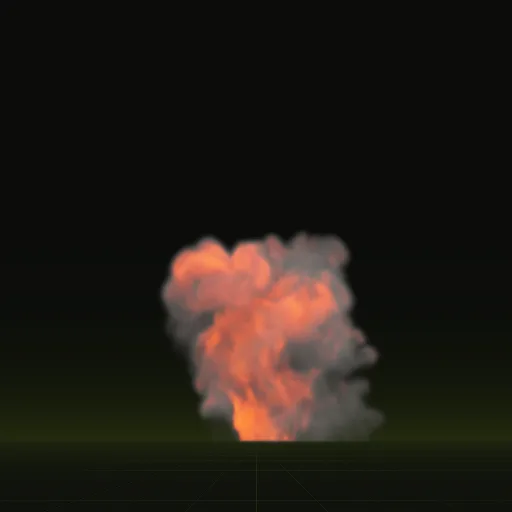
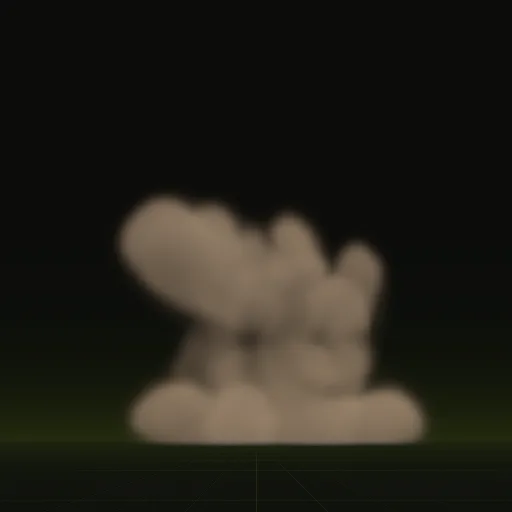
The fireball's 64 frames span 4 s and the impact's 3.2 s, each on 2048 x 2048 px sheets, with more frames early in the blast.
04 // SPATIAL COMPILER
What you get when your agent compiles an effect
You get up to four PNG sprite sheets per effect, each 2048 x 2048 px with 64 frames on an 8 x 8 grid by default. One holds opacity and the smoke lit from three sides, one the other three sides and the flame brightness, one the flame color, and one the motion and depth. Smoke with no flame comes as three sheets, without the color one. A preview_anim.png plays the clip at true speed in any browser. See the explosion sprite sheet.
Does Godot support sprite sheets?
Yes, Godot splits sheets using Hframes and Vframes on Sprite2D and Sprite3D or plays particle grids through Particles Anim H Frames and V Frames.
What format is a sprite sheet?
Most sprite sheets use PNG with an alpha channel for transparency, while packed sheets add JSON or XML data and bright effects sometimes use EXR.
What is sprite sheet animation?
Sprite sheet animation plays frames from one texture in sequence at a fixed rate, like a 64 frame smoke effect over 4 seconds.
What is a sprite sheet in Unity?
It is a texture set to Multiple sprite mode and sliced in the Sprite Editor or read as a grid by Texture Sheet Animation.
How do I create a sprite sheet for a VFX effect?
Render equal sized frames on a transparent background in a grid or ask your agent to compile fire, smoke, explosion or dust sheets with Spatial Compiler.
What size can a sprite sheet be in Roblox?
Roblox limits uploaded images to 1024 by 1024 pixels, giving 128 pixel frames on an 8 by 8 grid or 256 pixel frames on 4 by 4.
Compile your first effect
You pay per compile and see the price before it runs. New accounts start with $5 of usage.