EFFECTS // SPRITE SHEETS
Fire, smoke, explosion and dust sprite sheets
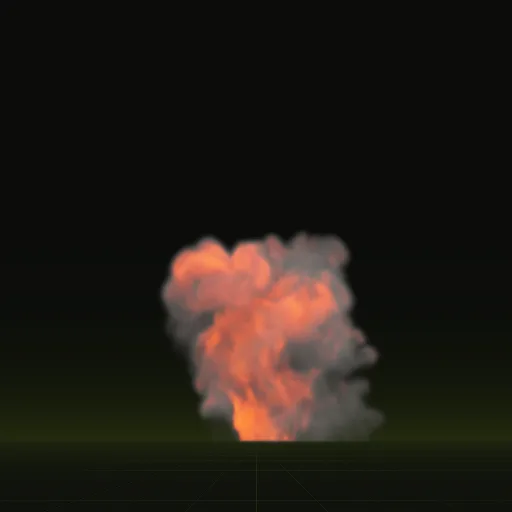
You can get a sprite sheet for any fire, smoke, explosion or dust effect by asking your agent for it. Each sheet packs 64 frames on an 8 by 8 grid at 2048 px, as PNG or EXR, and carries lighting from six directions so the smoke can be relit in your engine.
- Godot 4 Available
- Unity Manual setup
- Unreal Engine Manual setup
- Roblox Studio Manual setup
- three.js Available
A draft compile is from $0.05, and new accounts start with $5 of usage.

01 // WHAT YOU GET
What each of the four sheets holds
main_pos.png: light from the right, above and behind, with opacity in alpha.main_neg.png: light from the left, below and the front, with flame brightness in alpha.main_colour.png: the flame color, with the smoke to dust mix in alpha.main_aux.png: motion for smooth frame blending and depth for a soft edge against your scene.
A layout.json file next to them records the grid, the timing and the scales your engine needs to read them. Smoke with no flame comes without main_colour.png.

03 // ALL PAGES
Sprite sheets by effect, and how the sheets work
Sprite sheets by effect
- Fire sprite sheetGet a looping fire as a 64-frame sprite sheet from the steady fire, fire whirl or window fire compile, and play it in Godot 4 or by hand.
- Explosion sprite sheetThe fireball and impact compiles as one-shot explosion sprite sheets, layered with smoke and dust and played once in each engine.
- Smoke sprite sheetThe looping smoke plume and one-shot smoke column as sprite sheets that relight in Godot 4 and play by hand in other engines.
- Dust sprite sheetThe dust ring and the impact as one-shot dust sprite sheets, precomputed in the color of your ground for Godot 4 or for setup by hand.
- Steady fire sprite sheetA steady fire about 1.5 m across as a 2 second looping sprite sheet for wrecks and campfires, sized to your scene and lit with a flicker light.
- Fire whirl sprite sheetA 2 second fire whirl loop as a sprite sheet, with the two forces that shape it and how to fit a tall, narrow effect in each engine.
- Window fire sprite sheetA burning room venting through a window as a 2 second looping sprite sheet, built from three solid shapes you can fit to your own building.
- Fireball sprite sheetA fuel fireball as a 3.7 second one-shot sprite sheet, why its frames bunch at the start, and how to play it once in Godot 4 and by hand.
- Impact sprite sheetA shell hit on dry ground as a 2 second one-shot sprite sheet, the three sources that make it, and how to vary hits across a barrage.
- Smoke plume sprite sheetChimney or wreck smoke as a 4 second looping sprite sheet that leans with the wind, how to change the wind, and how it relights in Godot 4.
- Smoke column sprite sheetThe smoke left after a blast as a 5 second one-shot sprite sheet, how to layer it after an explosion, and how to time it in each engine.
- Dust ring sprite sheetA low ring of dust thrown outward along the ground as a 2.1 second one-shot sprite sheet, precomputed from a 35 degree camera for views from above.
How the sheets work
Grid, tile size, file format, loops and what each channel holds.
- Grid and framesHow a sprite sheet grid orders its frames, how engines read rows and columns, and how Spatial Compiler records grid and frame times.
- Tile sizeHow to pick a sprite sheet tile size from on-screen size, with 128 px and 256 px starting points and the Roblox Studio limit.
- PNG or EXRWhen to use 8-bit PNG, 16-bit PNG or EXR for a VFX sprite sheet, how flame stays bright in 8 bits, and how to import data sheets.
- Transparent backgroundHow a VFX sprite sheet keeps its background clear in alpha, why smoke and flame blend differently, and where the opacity sits in each sheet.
- Loop without a jumpWhy sprite sheet loops jump at the wrap, how simulated loops settle and blend their ends, and the loop settings Spatial Compiler exposes.
- layout.jsonWhat layout.json records for every compile, from grid and frame times to size in meters and decode scales, and how to use it by hand.
- Motion vectorsHow motion vectors blend flipbook frames without ghosting, where they sit in Spatial Compiler's sheets, and what cross-fade blending offers in other engines.
- Depth fadeHow depth fade softens the line where a flat effect meets the ground, where depth sits in the sheets, and the soft particle option in each engine.
- Flame brightnessHow the sheets keep a white-hot flame core in 8 bits with a square-root encoding, how to decode it, and what the flame warnings mean.
- Six-way channelsWhich RGBA channel holds which of the six lighting directions, how a shader mixes them, and how to use them in engines without a six-way shader.
- Channel packingHow channel packing fits several grayscale maps into one texture, and how to ask for the sheets repacked into the layout your engine reads.
What is a VFX sprite sheet?
One image that holds every frame of an animation in a grid. Your engine shows one cell at a time from a single texture.
What format is a VFX sprite sheet?
Usually a PNG with transparency. These sheets are 8 bit PNG by default, with 16 bit PNG or EXR as options for more range.
How should frames be arranged in a VFX sprite sheet?
Left to right, then top to bottom, in equal square cells. These sheets use an 8 by 8 grid of 256 px cells.
How do sprite sheets work in a game engine?
The engine draws a quad and moves its texture window from cell to cell over time using its grid setting.
Compile your first effect
You pay per compile and see the price before it runs. New accounts start with $5 of usage.