SPRITE SHEET // WINDOW FIRE
Window fire sprite sheet
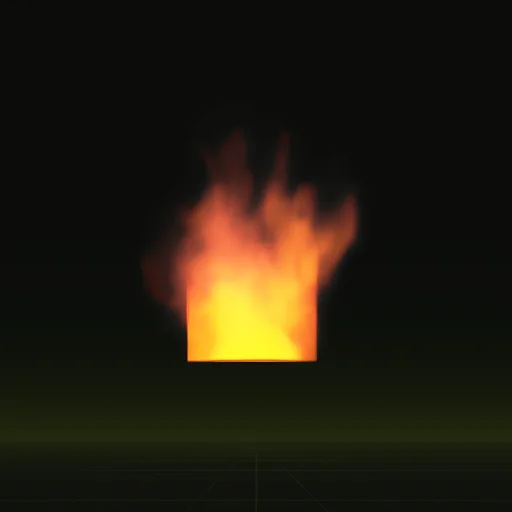
You get a burning room as a looping sprite sheet: flame and smoke pour out of a window and climb the wall above it, in 64 frames on an 8 x 8 grid, 2048 px square, repeating every 2 seconds. Line it up with a window on your building, or ask your agent for a wider window or thicker smoke.
- Godot 4 Available
- Unity Manual setup
- Unreal Engine Manual setup
- Roblox Studio Manual setup
- three.js Available
A draft compile is from $0.05, and new accounts start with $5 of usage.
01 // WHAT YOU GET
A fire that vents from a window, up to 3.9 x 4.7 m
The fire burns on the floor of a room you never see. It pushes out through a window 0.7 m wide, rolls up the wall and trails smoke, reaching 3.9 m wide and 4.7 m tall. The sheet loops every 2 seconds at 32 frames a second, after 4 seconds of burning to fill the room before the first frame.
02 // WHAT SHAPES IT
Three solid shapes make the building
The compile places three obstacles, solid shapes the gas flows around: a block for the building, a room carved out of it, and the window carved through its front wall. The fire sits on the room's floor, so flame reaches the camera only through the opening.
One setting decides how hard the burning gas pushes out of the room. At full push the flame shoots out as a level jet 3 m long; the compile uses a lower value, so the flame rolls out and climbs the wall instead.
Ask your agent for a taller or wider window, or a door in place of the window, and it moves the carved shapes and compiles again.
03 // HOW TO
Fit it to your building
- Connect your agent to Spatial Compiler with an API key, using MCP, the protocol your agent uses to call tools.
- Give your window's size and how high it sits above the ground, for example 1.2 m wide and 1 m up.
- Your agent compiles a draft, checks that the flame clears the window frame in the preview, then compiles the final sheets.
- In Godot 4, ask it to wire the compile, then place the scene at the foot of the wall under your window.
04 // ENGINES
Keep it flat against the wall
Other engines play it by hand today as a looping 8 x 8 flipbook on a flat quad. A quad that turns to face the camera would swing away from the wall, so use a fixed plane parallel to the wall.
How do I build an Unreal Engine material for the window fire sheet?
Use a Translucent material with Particle SubUV on an 8 by 8 grid, opacity from main_pos.png alpha and flame in Emissive Color.
How do I loop a window fire flipbook continuously in Unity?
Keep Looping enabled, set Texture Sheet Animation to Tiles 8 by 8 and Cycles 1 with a 2 second lifetime and emit every 2 seconds.
How do I make Unity read a window fire texture as a flipbook instead of a single image?
Add the Texture Sheet Animation module to the Particle System and set Mode to Grid and Tiles to 8 by 8.
How does a window fire flipbook texture work in a game engine?
The engine shows one grid cell at a time and steps to the next on a timer, looping 64 cells over 2 seconds.
Compile your first effect
You pay per compile and see the price before it runs. New accounts start with $5 of usage.