SHEET FORMAT // LOOP
How to make a sprite sheet loop smoothly
Your loop looks smooth when the last frame leads straight back into the first, so nothing pops at the wrap. Simulated fire and smoke get there by running until they settle, then cross-fading their last frames into the first. Ask your agent for a looping fire or smoke and you get a sheet with that blend done.
- Godot 4 Available
- Unity Manual setup
- Unreal Engine Manual setup
- Roblox Studio Manual setup
- three.js Available
A draft compile is from $0.05, and new accounts start with $5 of usage.
01 // HOW IT WORKS
Why loops jump and how they are fixed
A sprite sheet loop jumps when its last frame does not lead into its first. For a hand-drawn loop the artist matches the ends by hand. For a simulated effect, the usual fix is to run the effect until it reaches a steady state and then blend the end of the clip into its start over a few frames.
An exact copy of the first frame at the end causes its own problem, because the engine then shows the same picture twice in a row, which reads as a hitch. The last frame should lead into the first the way any two neighbors do.
02 // SPATIAL COMPILER
Loop settings in Spatial Compiler
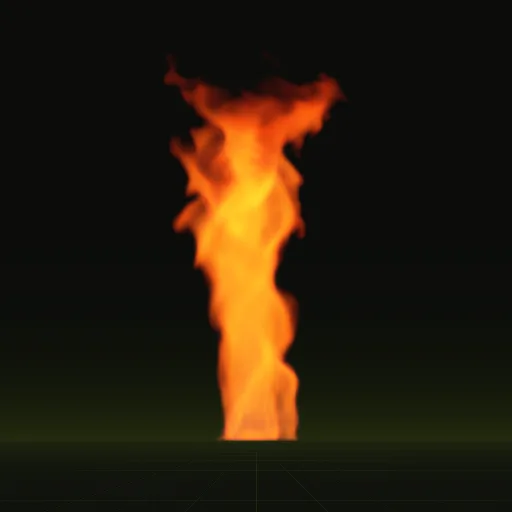
export.loop = trueturns a compile into a loop. The clip length isdomain.duration_s, and the emitter keeps running past it.warmup_ssets how long the effect runs before the first written frame: 2.5 s for the fire, 3.0 s for the fire whirl, 4.0 s for the window fire and 6.0 s for the smoke plume.loop_blend_framessets how many frames blend into the start, 8 by default and 12 in the looping examples.- The report measures the difference between the last and first frame as
loop_seamand warnsLOOP_SEAMabove 0.05, naming those two keys as the fix.
layout.json records the loop flag, so a reader knows to wrap the sheet instead of stopping on the last frame.
03 // ENGINES
Set the loop in your engine
Scenes from a wired Godot 4 compile loop on their own. By hand, keep Looping on in Unity's Main module, give Niagara's Sub UV Animation enough loops to cover the particle's life, set FlipbookMode to Loop in Roblox Studio, or wrap the frame index with the modulo operator in three.js.
Should the first and last frames of a loop match?
No. The last frame should lead into the first like any two neighboring frames or the loop shows one picture twice and hitches.
How many frames are needed for a looping particle effect?
Enough to cover one full cycle at a steady rate. Sixty four frames gives a two second loop at 32 frames a second.
How do I loop a smoke flipbook in Niagara?
Set the Sub UV Animation module to Linear with a loop count covering the particle lifetime and give the Sprite Renderer an 8 by 8 size.
How do I make a Roblox fire flipbook loop continuously?
Set FlipbookMode to Loop and FlipbookLayout to Grid8x8, keep the emitter running with a steady Rate and use a sheet precomputed as a loop.
Why does my looping flipbook skip at the end?
Usually the loop repeats its first frame at the end or playback stops a frame early. Check that the engine plays every frame per cycle.
Compile your first effect
You pay per compile and see the price before it runs. New accounts start with $5 of usage.