LEARN // EFFECTS
Looping vs one-shot effects: what is the difference
A looping effect repeats until your code stops it, like a campfire, a burning window or chimney smoke. A one-shot effect plays once from start to finish and ends faded out, like an explosion, an impact or a dust burst. You choose one per effect, because each needs different frames and different engine settings.
- Godot 4 Available
- Unity Manual setup
- Unreal Engine Manual setup
- Roblox Studio Manual setup
- three.js Available
A draft compile is from $0.05, and new accounts start with $5 of usage.
01 // THE DIFFERENCE
What changes between the two
A loop needs an ending that leads back to its start, and its frames show a steady state, with the fire already burning on frame 1. A one-shot needs a clear beginning and an end where the effect has faded to nothing, so the node can be removed without a visible cut.
Timing works differently too. A loop's length only sets how often the pattern repeats. A one-shot's length is the event itself, so the fireball's 4 s clip should take 4 s on screen, and gameplay such as damage or camera shake often lines up with its first frames. One-shots often spend more frames on the fast start, so their frames are not evenly spaced in time.
02 // IN YOUR ENGINE
The switch in each engine
- Godot 4:
one_shotonGPUParticles3D. Setemitting = trueto fire it and free the node on thefinishedsignal withqueue_free(). - Unity: Looping in the Main module, and Stop Action Destroy to remove a finished one-shot.
- Unreal Engine: Loop Behavior on the Niagara emitter (Once or Infinite), and the loop count on the Sub UV Animation module.
- Roblox Studio:
FlipbookModeLoop or OneShot, withEmit(count)for a burst. - three.js: advance the frame each tick, and after the last frame of a one-shot call
sprite.removeFromParent()andmaterial.dispose().
03 // REAL OUTPUT
A loop and a one-shot from real compiles
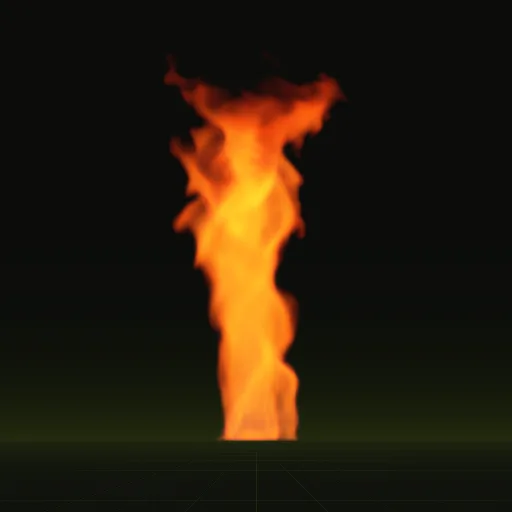
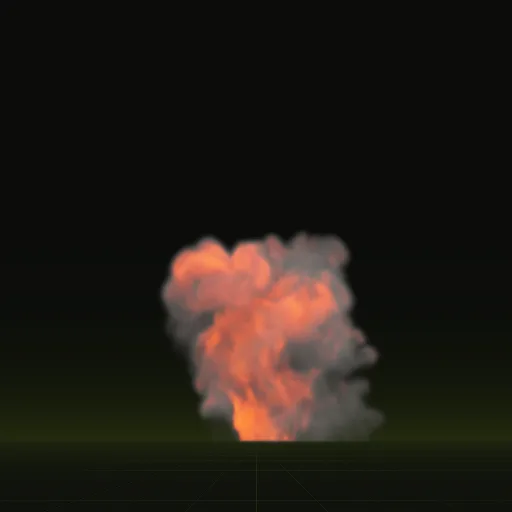
The fire whirl loops every 2 s. The fireball plays once over a 4 s clip and ends faded out.
04 // SPATIAL COMPILER
Asking for one or the other
Tell your agent whether the effect loops. A loop compiles with export.loop = true and blended ends, and a one-shot ends when the effect has faded. Of the eight example effects, fire, fire whirl, window fire and smoke plume loop, while fireball, impact, smoke column and dust ring play once. See the examples.
How do I play an explosion flipbook once and remove it in three.js?
Advance frames with THREE.Clock, stop at the last frame and call sprite.removeFromParent and material.dispose to clean up.
How do I play an explosion flipbook once instead of looping it in Unity?
Turn off Looping in the Main module, set Duration to the clip length, set Cycles to 1 and set Stop Action to Destroy.
How do I play an explosion flipbook only once in Roblox Studio?
Set FlipbookMode to OneShot, keep Rate at 0 and call Emit with your particle count when the explosion triggers.
How do I trigger an explosion and remove the particle node afterward in Godot?
Set one_shot to true, start playback with emitting set to true and connect the finished signal to queue_free.
How do I play an explosion flipbook once and stop on its final frame in Unreal Engine?
Set the emitter Loop Behavior to Once and Sub UV Animation loop count to 1 so the particle finishes on its final cell.
Compile your first effect
You pay per compile and see the price before it runs. New accounts start with $5 of usage.