GUIDE // UNITY
How to play an explosion flipbook once in Unity
Turn off Looping on your Particle System, emit a single particle from a burst at time zero, and set its Start Lifetime to the clip's length with Texture Sheet Animation Cycles at 1, so the frames run once from first to last. Set Stop Action to Destroy and the effect removes itself when it ends.
- Godot 4 Available
- Unity Manual setup
- Unreal Engine Manual setup
- Roblox Studio Manual setup
- three.js Available
A draft compile is from $0.05, and new accounts start with $5 of usage.
01 // HOW TO
Build a fireball prefab that plays once
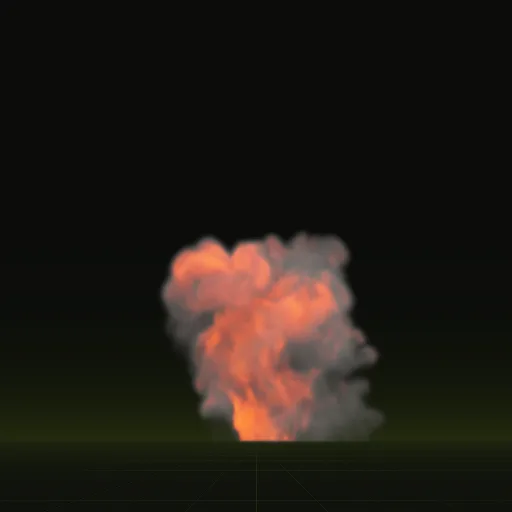
The fireball is a fuel explosion that bursts from the ground and rolls upward. Its 64 frames span 4 s.
- In the main module, turn off Looping, set Duration and Start Lifetime to 4, Start Speed to 0 and Stop Action to Destroy. Leave Play On Awake on.
- In Emission, set Rate over Time to 0 and add one Burst at Time 0 with Count 1.
- In Texture Sheet Animation, set Tiles to 8 and 8, Time Mode to Lifetime and Cycles to 1.
- Open the Frame over Time curve and add keys from the frame times in
layout.json: at each key, time divided by 4 s across and frame index divided by 64 up, because the curve runs from 0 to 1 over the particle's lifetime. The compile packs more frames into the first moments of the blast, and a linear curve would play those moments too slowly. - In Renderer, raise Max Particle Size from its default of 0.5 to 2 or more. The value is a fraction of the screen, and a fireball filling the view gets clipped to half the screen otherwise.
- Drag the GameObject into your Project window to save it as a prefab, and spawn it from code where the blast happens.
using UnityEngine;

public class ExplosionSpawner : MonoBehaviour
{
    public ParticleSystem fireballPrefab; // Looping off, Stop Action Destroy

    public void Explode(Vector3 position)
    {
        ParticleSystem blast = Instantiate(fireballPrefab, position, Quaternion.identity);
        blast.Play();
    }
}
02 // REAL OUTPUT
A second one-shot for smaller hits
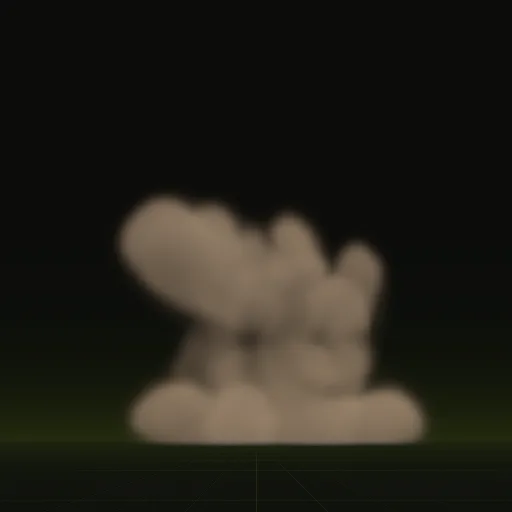
Impact is a shell hitting dry ground: a flash, thrown earth and a little smoke. Its frames span 3.2 s, so set Duration and Start Lifetime to 3.2 and shape its curve from its own layout.json.
03 // HOW IT ENDS
Why the last frame needs no hold
A one-shot compile runs until the effect has faded, so frame 63 of the fireball is almost empty. Nothing hangs in the air when the particle dies, and Stop Action Destroy removes the GameObject once its last particle is gone.
Keep Start Frame at 0 for one-shots. A random start frame suits loops, but here it would start some blasts halfway through. For variety, ask your agent for the same explosion with a new seed and pick one of the prefabs at random.
How do I play an explosion flipbook once in Unity instead of looping it?
Turn off Looping, emit one particle in a burst at time zero and set Cycles to 1 with Time Mode on Lifetime so the frames play once.
How do I trigger an explosion particle system from code in Unity?
Instantiate the explosion prefab at the hit point and call Play or call Play on an existing Particle System. Set Stop Action to Destroy for automatic cleanup.
How do I fade a fire or explosion flipbook in and out in Unity?
Turn on Color over Lifetime and set alpha keys on its gradient. A one shot compile already fades at its end, so it rarely needs a fade out.
Can the Unity particle system play a precomputed explosion?
Yes. One particle with Texture Sheet Animation plays the entire fireball sheet and a second Particle System can add debris or smoke on top.
Compile your first effect
You pay per compile and see the price before it runs. New accounts start with $5 of usage.