GUIDE // ROBLOX STUDIO
How to play an explosion flipbook only once in Roblox Studio
Set your ParticleEmitter's FlipbookMode to OneShot, its Rate to 0 and its Lifetime to the clip's length, then call Emit(1) from a script when the blast happens. OneShot spreads the frames evenly across each particle's lifetime, so compile the sheet with evenly spaced frames and it plays once from first to last.
- Godot 4 Available
- Unity Manual setup
- Unreal Engine Manual setup
- Roblox Studio Manual setup
- three.js Available
A draft compile is from $0.05, and new accounts start with $5 of usage.
01 // HOW TO
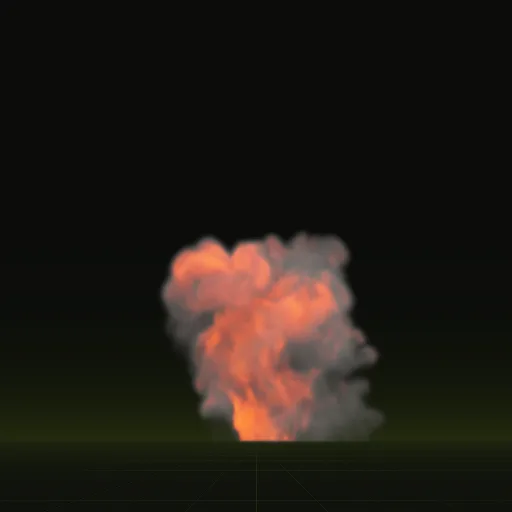
Set up a fireball you can trigger
- Ask your agent for the fireball with
export.tile_px = 128andexport.pacing = "even", so each sheet is 1024 px and its frames are evenly spaced in time, the way OneShot plays them. - Make two images. For smoke, put the green of
main_pos.png(light from above) in RGB and its alpha as opacity, whichexport.packcan write for you. For flame, on black, multiplymain_colour.pngby the alpha ofmain_neg.pngsquared, because that alpha stores the square root of the flame brightness; the result is normalized to the clip's peak. - Put two ParticleEmitters, FireballSmoke and FireballFlame, under
Fireball.lua, each with its uploaded image as Texture, FlipbookLayout Grid8x8 and FlipbookMode OneShot. - On both, set Rate to 0, Lifetime to 4 (the time the fireball's 64 frames span), Speed to 0, SpreadAngle to 0 and Rotation to 0, with the same Size and Orientation, so the flame stays on its smoke (layer alignment). A side-on blast should not spin.
- On the flame emitter, set LightEmission to 1, LightInfluence to 0 and Brightness to
scales.emit_max_hdr, 5.09 for the fireball, so the flame adds light to what is behind it at its precomputed peak. Keep the smoke at LightEmission 0 so it stays solid. - Call
explodefrom the code that handles the hit.
local Debris = game:GetService("Debris")
local smoke = script.FireballSmoke -- OneShot, Rate 0, Lifetime 4
local flame = script.FireballFlame -- same, plus LightEmission 1

local function explode(position)
	local part = Instance.new("Part")
	part.Anchored = true
	part.CanCollide = false
	part.Transparency = 1
	part.Size = Vector3.new(1, 1, 1)
	part.Position = position
	-- one Attachment, so both emitters spawn at the same point
	local attachment = Instance.new("Attachment")
	attachment.Parent = part
	smoke:Clone().Parent = attachment
	flame:Clone().Parent = attachment
	part.Parent = workspace
	for _, emitter in attachment:GetChildren() do
		emitter:Emit(1)
	end
	Debris:AddItem(part, 4.5)
end
02 // REAL OUTPUT
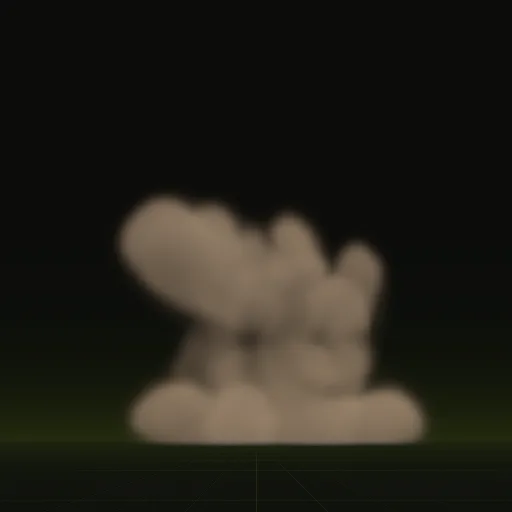
A smaller blast for shell hits
Impact's frames span 3.2 s, so its emitter needs Lifetime 3.2 and a Debris time of about 3.7.
03 // HOW IT ENDS
Why nothing hangs in the air
OneShot ignores FlipbookFramerate and spaces the 64 frames evenly across Lifetime, so a Lifetime longer than the clip plays it in slow motion. A one-shot compile from Spatial Compiler runs until the effect has faded, so the last frame is almost empty when the particle dies.
The example fireball spends more of its frames on the first moments of the blast, and OneShot cannot space frames unevenly. Played as is, its flash and burst run slower than precomputed and its fading smoke faster. Precomputed with export.pacing = "even", every frame covers the same time, so OneShot plays it at its real pace.
Debris removes the helper Part a moment after the particle is gone, so repeated blasts do not pile up in the workspace.
How do I play an explosion flipbook only once in Roblox Studio?
Set FlipbookMode to OneShot, Rate to 0 and Lifetime to the clip length, then call Emit(1). Compile with evenly spaced frames so OneShot plays at real pace.
How do I trigger an explosion in Roblox Studio?
Call Emit on a ParticleEmitter from a script when the blast happens. Add an Explosion instance for the physics push and set Visible to false.
Can I use an explosion sprite sheet in Roblox Studio?
Yes, upload square images up to 1024 pixels with 64 frames and play them with FlipbookMode OneShot. Put flame and smoke on separate emitters so flame can glow.
How do I make a realistic explosion in Roblox Studio?
Play a precomputed explosion flipbook once, add a brief PointLight flash and a dust emitter and shake the camera. The sheet carries rolling fire and smoke.
Compile your first effect
You pay per compile and see the price before it runs. New accounts start with $5 of usage.