GUIDE // ROBLOX STUDIO
How to make fire particles glow in Roblox using LightEmission and Brightness
Set your fire ParticleEmitter's LightEmission to 1, so its colors add to whatever is behind them, and set Brightness to the compile's peak, scales.emit_max_hdr, so the flames outshine the scene around them. Add a BloomEffect under Lighting to spread the bright pixels into a glow, and a PointLight in the same Part if the fire should light the ground.
- Godot 4 Available
- Unity Manual setup
- Unreal Engine Manual setup
- Roblox Studio Manual setup
- three.js Available
A draft compile is from $0.05, and new accounts start with $5 of usage.
01 // WHAT YOU NEED
A flame-only image
For glowing flames, build a 1024 px flame image on black: the RGB of main_colour.png (flame color) multiplied by the alpha of main_neg.png squared. That alpha stores the square root of the flame brightness, so squaring it restores the real falloff. The result is normalized to the clip's peak, which scales.emit_max_hdr in layout.json records, and the emitter's Brightness puts that peak back. With LightEmission at 1 the emitter adds the image to what is behind it, so black vanishes and nothing needs masking.
Keep the smoke on its own emitter with LightEmission 0, because additive smoke looks like glowing fog. Calling Emit(1) on both at once only lines up their first frames; the settings in Keep each flame on its smoke hold the two layers together.
02 // LAYER ALIGNMENT
Keep each flame on its smoke
Two emitters show the same frame in the same place only when nothing about them differs or is random. Put both on one Attachment in the same Part, because an emitter parented to the Part itself spawns each particle at a random point inside it.
Give both identical fixed settings: Speed 0, SpreadAngle 0, the same Lifetime, Size, Orientation, Rotation, Acceleration and Drag, RotSpeed 0, one fixed FlipbookFramerate such as NumberRange.new(30) rather than a range, and FlipbookStartRandom off. Then call Emit(1) on both from the same script call.
03 // HOW TO
Set up glowing flames
- Set the flame emitter's Texture, FlipbookLayout Grid8x8, FlipbookMode Loop and FlipbookFramerate fixed at 30 (
NumberRange.new(30)), the Roblox maximum. - Set LightEmission to 1 and LightInfluence to 0, so the flames stay bright at night and in shadow.
- Set Brightness to
scales.emit_max_hdrfromlayout.json, the peak brightness the compile recorded: 4.39 for the 2 s fire and 4.43 for the whirl. Leave Color white so the texture keeps its own flame colors. - In the Explorer, insert a BloomEffect under Lighting and raise its Intensity until the core glows.
- Insert a PointLight beside the emitters, on their Attachment in the same Part, with an orange Color and a Range that reaches the ground around the fire.
local emitter = script.Parent
emitter.LightEmission = 1
emitter.LightInfluence = 0
emitter.Brightness = 4.39 -- scales.emit_max_hdr in layout.json (2 s fire)

local light = Instance.new("PointLight")
light.Color = Color3.fromRGB(255, 140, 60)
light.Range = 16
light.Parent = emitter.Parent -- the Attachment both emitters share
04 // REAL OUTPUT
A steadier flame
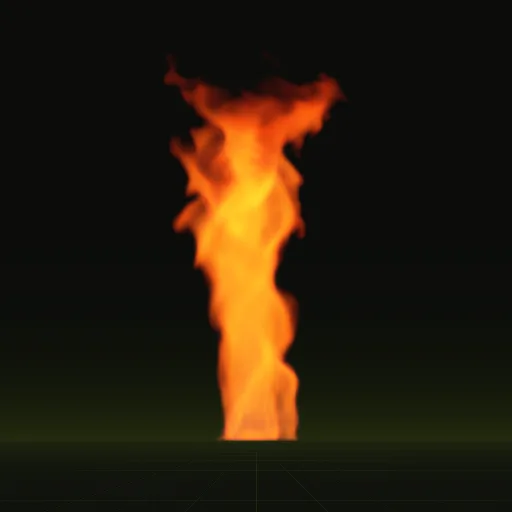
The 2 s fire glows lower and wider than the whirl, with almost the same peak, so it takes the same Brightness and less Bloom.

How do I make fire particles glow in Roblox using LightEmission and Brightness?
Set LightEmission to 1 for additive blending and Brightness to the compile peak scales.emit_max_hdr so flames outshine the scene. Add a BloomEffect in Lighting for a halo.
How do I make a fire effect in Roblox Studio?
Use a ParticleEmitter with a precomputed fire flipbook for real flame motion instead of the built in Fire object. Set LightEmission to 1 so the flames glow.
How do I combine separate fire, smoke and explosion flipbooks in Roblox?
Place one ParticleEmitter per flipbook in the same Part or Attachment and tune Rate, Lifetime and ZOffset. ZOffset controls which emitter draws in front.
Do I need a fire particle ID for Roblox Studio?
Yes, you need an image asset ID for the ParticleEmitter Texture property. Upload your own fire flipbook to get an ID and reference it as rbxassetid://.
Compile your first effect
You pay per compile and see the price before it runs. New accounts start with $5 of usage.