GUIDE // UNITY
How to make a fire flipbook glow in Unity without lighting the smoke
Put the flames and the smoke on separate Particle Systems. Give the flames an unlit particle material with Additive blending and an HDR emission color above 1, and turn on Bloom in your post-processing so the bright pixels glow. Keep the smoke on an alpha-blended material, so it never adds light to the scene.
- Godot 4 Available
- Unity Manual setup
- Unreal Engine Manual setup
- Roblox Studio Manual setup
- three.js Available
A draft compile is from $0.05, and new accounts start with $5 of usage.
01 // WHAT YOU NEED
A texture with only the flame in it
In a Spatial Compiler compile the flame color is the RGB of main_colour.png, and its brightness is the alpha of main_neg.png. Make one flame image on black from them: the RGB of main_colour.png times the alpha of main_neg.png squared. Additive blending (adding each pixel's color to what is behind it) makes black vanish, so only the flame adds up.
That alpha stores the square root of the brightness against the clip's peak, so the white-hot core keeps detail in 8 bits. Squaring it restores the real falloff, and the result is normalized: its brightest pixel stands for scales.emit_max_hdr in layout.json. The material's HDR emission puts that peak back. Dimming the material instead cannot undo the square root, because it dims the core as much as the edges.
02 // HOW TO
Set up glowing flames in URP
- Create a material with the Universal Render Pipeline/Particles/Unlit shader. Set Surface Type to Transparent, Blending Mode to Additive, Base Map to the flame image and Base Color to black, so the base adds nothing.
- Turn on Emission, put the same image in its map and set the HDR emission color to white at an Intensity of log2 of
scales.emit_max_hdr(Intensity counts doublings), about 2.1 for the 2 s fire, whose peak is 4.39. The core then gets back its precomputed brightness. - In your URP Asset, turn on HDR. On the camera, turn on Post Processing. Add a Global Volume with a Bloom override and a Threshold near 1, so only the flame blooms.
- Put the smoke on its own Particle System with an Alpha blended material, under the same parent, so the two move together.
- For light on nearby objects, add a Point Light prefab to the fire system's Lights module with Ratio set to 1.
03 // REAL OUTPUT
Fire with a bright core
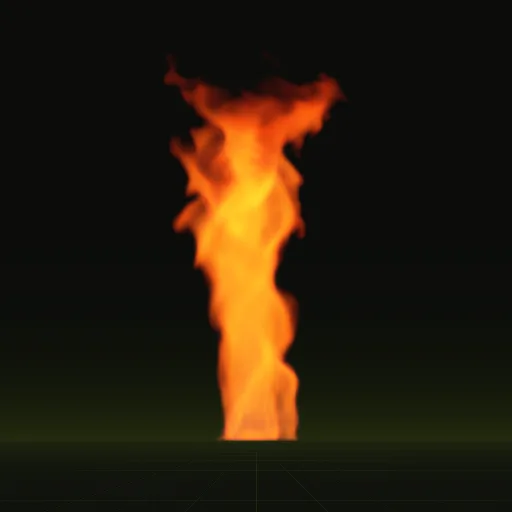
The steady 2 s fire has a lower, wider core than the whirl, so it needs less Bloom to look hot.

How do I make a fire flipbook glow in Unity without lighting the smoke?
Split them into two Particle Systems: an additive unlit material with HDR emission for flames and an alpha blended material for smoke, so Bloom only picks up flames.
How do I make particles glow in Unity?
Use an additive particle material, push its emission above 1 with the HDR color picker and add Bloom to a post processing Volume with HDR enabled.
Where is flame brightness stored in a precomputed fire sheet for Unity?
It sits in the alpha of main_neg.png as a square root, with color in main_colour.png. Multiply color by squared alpha and restore the peak with HDR emission.
What texture should I use for fire particles in Unity?
Use a flipbook with the flame on black or transparent pixels, played with additive blending. Additive blending makes black disappear, so the flame needs no separate mask.
Compile your first effect
You pay per compile and see the price before it runs. New accounts start with $5 of usage.