GUIDE // UNITY
How to make flipbook smoke respond to scene lighting in Unity
Use a lit particle material, such as Particles/Lit in URP with Alpha blending, so your directional light and ambient light brighten, darken and tint the smoke. Unity lights each sprite as a flat card, so the shading inside the frames still has to come from the texture, ideally precomputed with light from the same side as your sun.
- Godot 4 Available
- Unity Manual setup
- Unreal Engine Manual setup
- Roblox Studio Manual setup
- three.js Available
A draft compile is from $0.05, and new accounts start with $5 of usage.

01 // WHAT YOU NEED
Pick the shading that matches your sun
A Spatial Compiler smoke compile stores six-way lighting, the smoke lit from six directions so it can be relit later. main_pos.png holds light from the right, above and behind in R, G and B, and main_neg.png holds light from the left, below and front. Opacity is the alpha of main_pos.png.
A Unity particle material reads one texture, so choose the channel closest to your scene's sun and put it in RGB, with the opacity in alpha. Green of main_pos.png (light from above) suits a high sun. For a low sun on the left of the view, red of main_neg.png gives side light.
02 // HOW TO
Set up lit smoke in URP
- Build the RGBA texture from the channel you chose and the alpha of
main_pos.png, or ask your agent for anexport.packlayout that writes it. - Create a material with the Universal Render Pipeline/Particles/Lit shader. Set Surface Type to Transparent, Blending Mode to Alpha and Base Map to the texture.
- Set Base Color to your smoke color. Gray shading in the texture tints cleanly toward brown, white or black.
- Assign the material to the Particle System and set Texture Sheet Animation to 8 x 8 at 16 frames per second for the 4 s plume.
- Rotate your directional light and change the ambient color to check that the smoke darkens at dusk and takes on the sky's tint.
03 // REAL OUTPUT
Smoke that climbs and thins
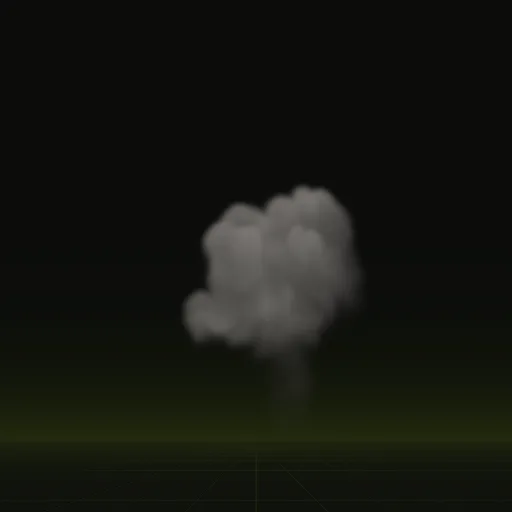
The smoke column is a one-shot left after a burst. It climbs, spreads and thins, and its soft top shows how much the lighting choice matters.
04 // FULL RELIGHTING
Relighting from all six directions
To relight smoke properly as the sun moves, a shader has to blend all six directions by the light's angle. The six directional values are packed into the positive and negative lighting sheets.
How do I make flipbook smoke respond to scene lighting in Unity?
Use a lit transparent particle material such as URP Particles/Lit with Alpha blending. Your scene lights then change the smoke brightness and color.
Does Unity support six way lighting for smoke?
Yes, with a custom material that reads six directional light channels. The built in Particle System needs a custom shader to blend all six directions.
How do I combine emissive fire and lit smoke in one Unity effect?
Use two Particle Systems under one parent: an additive unlit system for the flames and a lit alpha blended system for the smoke.
Which texture channels store the six lighting directions for smoke in Unity?
In Spatial Compiler sheets, main_pos.png holds light from the right, above and behind in R, G and B, while main_neg.png holds left, below and front.
Compile your first effect
You pay per compile and see the price before it runs. New accounts start with $5 of usage.