GUIDE // GODOT 4
How to make smoke particles react to scene lighting in Godot 4
Leave the smoke material lit instead of Unshaded so your DirectionalLight3D and ambient light reach it, and add a normal map sheet if you have one. For smoke whose bright side follows the sun as it moves, use sheets precomputed with light from six directions and a Godot 4 shader that reads them.
- Godot 4 Available
- Unity Manual setup
- Unreal Engine Manual setup
- Roblox Studio Manual setup
- three.js Available
A draft compile is from $0.05, and new accounts start with $5 of usage.

01 // WHY
Why lit smoke still looks flat
A particle is a flat card that turns to face you, so its surface normal points at the camera. The sun can brighten or darken the whole card, but it cannot pick out one bulge of the smoke over another, because the card has no shape.
A normal map gives the card a shape to light. Lighting precomputed from six directions goes further and stores how the real smoke looked when lit from the right, left, top, bottom, front and back.
02 // HOW TO
Light a smoke sheet by hand
- On the draw pass
StandardMaterial3D, keep Shading Mode on Per-Pixel and set Transparency to Alpha. - Set Billboard Mode to Particle Billboard and turn on Vertex Color > Use as Albedo.
- Turn on Backlight and set it to a mid gray, so a sun behind the smoke shows through it instead of leaving it black.
- If you have a normal map sheet with the same grid, turn on Normal Map and load it. The particle animation moves the normal map cells in step with the color.
- Rotate your
DirectionalLight3Daround the smoke and check that the lit side changes.
03 // WITH SPATIAL COMPILER
Smoke whose bright side follows the sun
Ask your agent for a smoke plume and it compiles six-way lighting, two sheets that store how the smoke looked lit from each of six directions. In Godot 4 your agent drops the smoke into a scene with a shader that mixes those sheets by your sun's direction and adds your ambient light.
Move the DirectionalLight3D at runtime and the lit side of the smoke moves with it, with no normal map and no extra lights. pyrofx outputs describes the sheets.
04 // REAL OUTPUT
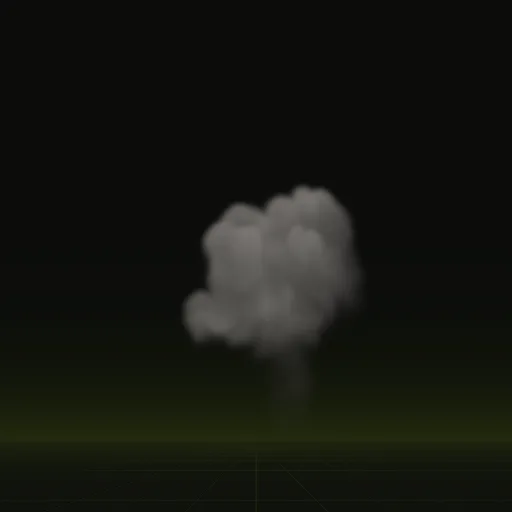
Six-way lit smoke
A 4 second plume loop and a 5.0 second column that plays once.
What is six way lighting for smoke?
Six lighting passes of the same smoke from right, left, top, bottom, front and back packed into two textures for runtime sun blending.
How does six way lighting improve flipbook smoke in Godot?
It lets one precomputed sheet be relit from any sun angle instead of keeping compiled directional light painted into the color texture.
How do I make smoke change from dark gray to transparent over its lifetime?
Add a Color Ramp in ParticleProcessMaterial from dark gray at full alpha to zero alpha and enable Vertex Color Use as Albedo.
How do I make 3D smoke particles in Godot?
Use GPUParticles3D with a lit, alpha blended smoke sheet on a Particle Billboard material, slow upward velocity and a growing Scale Curve.
Compile your first effect
You pay per compile and see the price before it runs. New accounts start with $5 of usage.