GUIDE // ROBLOX STUDIO
How to make smoke particles respond to lighting in Roblox using LightInfluence
Set the smoke ParticleEmitter's LightInfluence to 1 and LightEmission to 0, so the sun, ambient light and nearby lights darken and tint the smoke the way they do your parts. Roblox lights each particle evenly across its face, so the soft shading that gives smoke its volume has to be precomputed into the texture.
- Godot 4 Available
- Unity Manual setup
- Unreal Engine Manual setup
- Roblox Studio Manual setup
- three.js Available
A draft compile is from $0.05, and new accounts start with $5 of usage.

01 // WHAT YOU NEED
Pick one precomputed light direction
A Spatial Compiler smoke compile stores six-way lighting, the smoke lit from six directions so a shader can relight it later. Roblox particles take one texture and no shader, so you choose one of those directions when you build the image.
- High sun: the green channel of
main_pos.png(light from above) in RGB. - Low sun on the right of the view: the red channel of
main_pos.png. - Low sun on the left of the view: the red channel of
main_neg.png. - Opacity in every case: the alpha of
main_pos.png, at 1024 x 1024 px.
02 // HOW TO
Set up lit smoke
- Upload the smoke image and set it as the emitter's Texture, with FlipbookLayout Grid8x8, FlipbookMode Loop and FlipbookFramerate 16 for the 4 s plume.
- Set LightInfluence to 1, LightEmission to 0 and Brightness to 1.
- Set Color to a light gray, or a sequence that darkens as the smoke ages. Color multiplies the gray shading in the texture.
- Change Lighting.ClockTime in the Properties window and check that the smoke darkens at night and warms at sunset.
03 // REAL OUTPUT
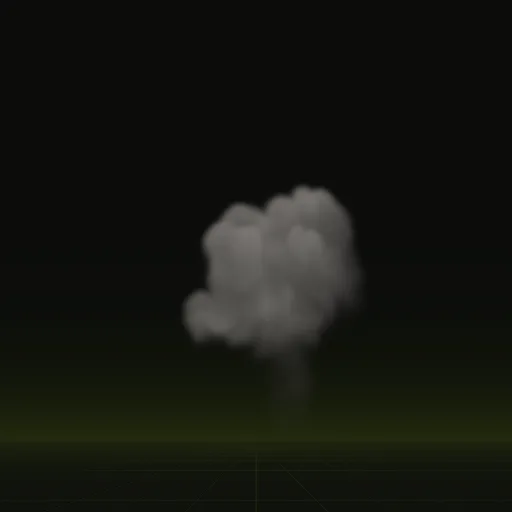
Smoke left after a blast
The smoke column is a one-shot that climbs and thins, with frames spanning 6 s. Play it with FlipbookMode OneShot and Lifetime 6, from a compile with export.pacing = "even" so its frames match how OneShot spaces them.
04 // LIMITS
What Roblox cannot relight
Full relighting blends all six directions by the sun's angle every frame, which takes a custom shader. Roblox particles have none, so the precomputed direction stays fixed. If the camera circles the smoke, the lit side turns with the camera, which is hard to spot on drifting smoke.
How do I make smoke particles respond to lighting in Roblox using LightInfluence?
Set LightInfluence to 1 so sun and scene lights shade the smoke and set LightEmission to 0 so it adds no light.
Does Roblox have volumetric smoke for particles?
No, ParticleEmitter draws flat sprites. Use a flipbook with precomputed shading to give smoke depth and use Atmosphere for scene wide haze.
How do I make smoke particles in Roblox Studio?
Add a ParticleEmitter with a smoke flipbook, FlipbookLayout Grid8x8 and FlipbookMode Loop. Set LightInfluence to 1 and use Transparency to fade each puff out.
How do I make black smoke in Roblox Studio?
Set the emitter Color to dark gray and keep LightInfluence at 1. Color multiplies the texture, so start with light gray smoke and darken it in Studio.
Compile your first effect
You pay per compile and see the price before it runs. New accounts start with $5 of usage.