GUIDE // THREE.JS
How to make smoke flipbook particles blend correctly over the scene in three.js
Use normal alpha blending with transparent set to true and depthWrite set to false, so your smoke sprites fade over what is behind them without cutting square holes in each other. Let three.js sort transparent objects from back to front, and take opacity from the sheet's alpha so the edges of each puff stay soft.
- Godot 4 Available
- Unity Manual setup
- Unreal Engine Manual setup
- Roblox Studio Manual setup
- three.js Available
A draft compile is from $0.05, and new accounts start with $5 of usage.

01 // HOW TO
Build a smoke material from the sheet
- Load
main_pos.pngand leave itscolorSpaceat the default for the shader. - Make a
ShaderMaterialthat reads opacity from the alpha and shading from the green channel (light from above), tinted by a smoke color uniform. - Set
transparent: true,depthWrite: falseandblending: THREE.NormalBlending. - Put it on a plane that faces the camera and drive the frame from elapsed time, 16 frames per second for the 4 s plume.
uniform sampler2D posMap;  // main_pos.png
uniform vec3 smokeColor;
uniform float frame;
uniform float opacity;
varying vec2 vUv;

void main() {
  vec2 cell = vec2(mod(frame, 8.0), 7.0 - floor(frame / 8.0));
  vec4 pos = texture2D(posMap, (vUv + cell) / 8.0);
  gl_FragColor = vec4(smokeColor * pos.g, pos.a * opacity);
}
02 // REAL OUTPUT
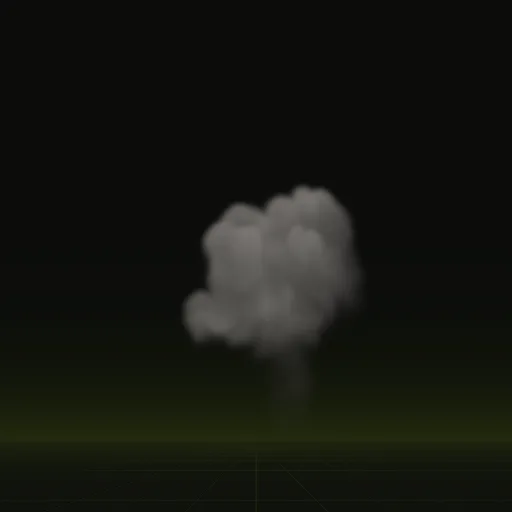
Smoke that climbs and spreads
The smoke column is a one-shot left after a burst. Its frames span 6 s and bunch up early, so step through the frame times from layout.json and stop at frame 63 instead of wrapping.
03 // COMMON PROBLEMS
Fix holes, hard lines and dark rims
- Square holes where puffs overlap mean
depthWriteis still on, so a near puff hides the far ones behind it. - A hard line where smoke meets the ground comes from the flat sprite cutting through the scene. A soft-particle shader that fades by scene depth fixes it; see soft particles.
- A dark rim around each puff comes from black color in transparent pixels, which filtering mixes into the edge. Fill the color out past the edges of the smoke in your image editor.
04 // RELIGHTING
Toward full six-way lighting
The green channel is one fixed light direction. The sheets hold six (six-way lighting, the smoke lit from six directions), and a shader that blends them by your light's direction relights the smoke as the light moves. Writing that blend in three.js is up to you, and nobody has tested one with these sheets.
Godot 4 gets a ready scene that relights the smoke. A native six-way material for three.js is not built yet; the documented snippet plays one packed lighting direction.
How do I make a smoke effect in three.js?
Use a smoke sprite sheet on a Sprite with normal blending, transparent enabled and depthWrite disabled so smoke layers cleanly over the scene.
How do I make smoke sprites blend cleanly over a three.js scene?
Set transparent true and depthWrite false on the material, draw smoke after opaque objects and sort overlapping sprites back to front.
How should transparency be stored in a six way lightmap?
Store straight opacity in the alpha channel of one texture, such as the alpha channel of main_pos.png in Spatial Compiler outputs.
Should smoke plume use additive or normal alpha blending in three.js?
Use THREE.NormalBlending with transparent true and depthWrite false since the plume has no flame layer.
Compile your first effect
You pay per compile and see the price before it runs. New accounts start with $5 of usage.