GUIDE // GODOT 4
How to keep smoke particles from looking like flat squares in Godot 4
Smoke looks like flat cards when the quads cut hard lines where they cross the ground, all show the same frame and angle, and take light as one flat sheet. Turn on Proximity Fade, randomize rotation, start frame and size, and light your smoke so one side is brighter than the other. Fewer, larger particles read as one soft volume.
- Godot 4 Available
- Unity Manual setup
- Unreal Engine Manual setup
- Roblox Studio Manual setup
- three.js Available
A draft compile is from $0.05, and new accounts start with $5 of usage.
01 // DIAGNOSE
What gives the cards away
- A straight line where smoke meets the floor or a wall means the quad is cutting through geometry. Turn on Proximity Fade on the material.
- A repeating pattern of the same puff means every particle shows the same frame at the same angle. Randomize Animation Offset, Angle and Scale.
- Smoke that turns as you walk around it shows the cards rotating with the camera. Larger, softer puffs hide the turn better than small sharp ones.
- Smoke with no lit side means the cards are unshaded or lit as flat planes. Use a lit material, Backlight or lighting precomputed from six directions.
02 // HOW TO
Soften the cards
- On the smoke
StandardMaterial3D, set Transparency to Alpha, then turn on Proximity Fade and set Distance to about 0.5 to 1 m. - In the
ParticleProcessMaterial, set Angle Min and Max to -180 and 180, Offset Max to 1 and Scale Min and Max a little apart. - Lower Amount and raise the quad size until the column still looks full. Fewer overlapping cards also cost less to draw.
- Add a Scale Curve that grows each puff as it rises, and turn on Billboard > Keep Scale so the curve takes effect.
- Check the smoke from the height of your scene's camera as well as from the editor view.
03 // WITH SPATIAL COMPILER
Smoke with depth precomputed in
Ask your agent for a smoke column or plume. In Godot 4 it drops the smoke into a scene with a shader that does three of these fixes for you. It fades the smoke where it meets scene geometry (depth fade, a soft edge based on distance to the surface behind), lights it from your sun using lighting precomputed from six directions, and slides between frames along motion vectors so the shape flows instead of stepping.
The sheet holds the whole rolling column, so one quad often replaces dozens of particles. Use node=particles when you need several columns at once.
04 // REAL OUTPUT
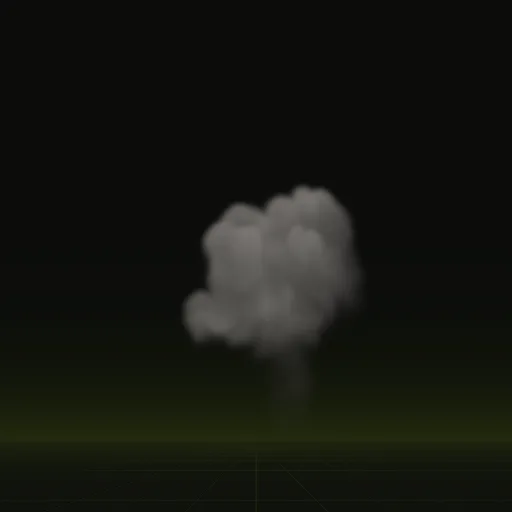
Smoke that reads as a volume

How do I prevent smoke particles from looking like flat square billboards in Godot?
Enable Proximity Fade, use a soft edged sheet with clear cell borders and randomize particle angle, size and starting frame.
How do I create thick, soft smoke using GPUParticles3D in Godot?
Use fewer, larger particles with a dense smoke sheet and lit material, emitting from a small box while Scale Curve widens the column.
How do I make smoke drift with wind instead of rising straight up?
Tilt the Gravity vector in ParticleProcessMaterial toward the wind direction and turn on Turbulence for natural gusts.
Does Godot have volumetric smoke?
Godot has volumetric fog and FogVolume nodes in Forward+ for ambient mist, while rising, rolling smoke still relies on particles or flipbooks.
Compile your first effect
You pay per compile and see the price before it runs. New accounts start with $5 of usage.