EFFECTS // GODOT 4
How to make a smoke column in Godot 4
Ask your agent for a smoke column that climbs and thins for 5 seconds after a blast, and it arrives in your Godot 4 project ready to play. You get 64-frame sprite sheets, and wire places them in a scene with a shader that relights the smoke from your sun.
- Godot 4 Available
- Unity Manual setup
- Unreal Engine Manual setup
- Roblox Studio Manual setup
- three.js Available
A draft compile is from $0.05, and new accounts start with $5 of usage.
01 // WHAT YOU GET
What you get for smoke column in Godot 4
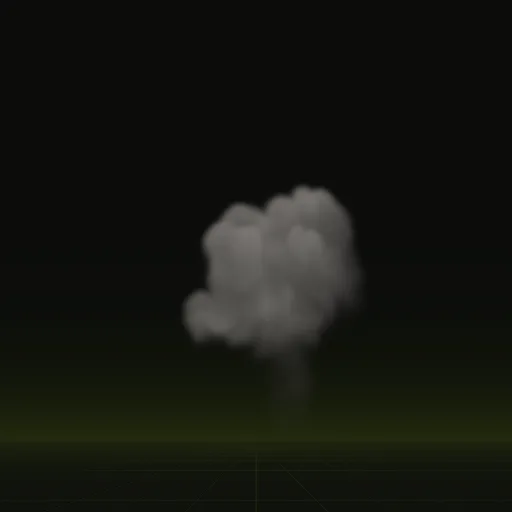
The smoke column is the smoke left after a burst. It climbs, spreads and thins out over 5 seconds, about 8.2 m wide and 9.9 m tall, and ends once it has faded. Play it right after an explosion so the scene does not snap back to clear air.
You get three PNG sheets of 64 frames, a layout.json with the timing, and previews, played for you by the scene wire writes.
02 // HOW TO
Add the smoke column to your Godot 4 scene
- Get a free API key and connect your agent to the hosted MCP server (see Install via MCP).
- Ask for the effect in plain words, for example "the smoke that hangs after an explosion, played once". Your agent starts from the
smoke_columnexample and compiles it at draft quality (from $0.05) to check the look, then at final quality (from $0.10). - Your agent calls
wirewith an output folder inside your project. It installs the lighting shader, sets the texture imports and writes a scene: a square quad sized from the compile's meters per tile, with its origin on the ground. - Set
autoplay = falseon the scene, instance it when the smoke column happens, drivetime_sfrom 0 to 6 s and free the node when it ends. The scene follows the frame times inlayout.json, so the fast start keeps its extra frames. - For many copies at once, ask your agent to wire it with
set: ["node=particles"], which writes aGPUParticles3Dthat plays the same sheets.
03 // ADJUST IT
Adjust the smoke column for your scene
Pair it with the fireball or the impact. Ask your agent for a longer hang time, a darker column for burning fuel or a lower, wider cloud for a ground blast.
04 // SETTINGS
Settings in the smoke column spec
A burst of warm smoke is pushed upward for 0.8 s, then swirl, turbulence and fade shape the climb. Front pacing gives the fast early rise more frames.
[[emitters]]
shape = "sphere"
position_m = [0, 0.8, 0]
size_m = 1.0
start_s = 0.0
end_s = 0.8
fuel = 0
temperature_k = 700
smoke = 6
velocity_mps = 3
direction = "up"
spread_deg = 50
jitter = 0.5Is there a ready smoke column effect for Godot?
Yes. Ask your agent for smoke hanging after an explosion that plays once and it compiles from smoke_column into a Godot scene.
How do I trigger a smoke column once and remove the node afterward in Godot?
Set autoplay to false, add the scene when the smoke starts, drive time_s up to 6 s and call queue_free on the empty final frame.
How do I make a realistic smoke column in Godot?
Start from a simulated column instead of manual particles. Warm smoke rises with swirl and turbulence while front pacing captures the fast early climb.
How do I keep the smoke column in proportion in Godot?
The wired scene handles scale automatically with a square quad sized from meters per tile in layout.json and its origin on the ground.
How many frames does a Godot smoke column effect use?
The smoke column compile spreads 64 frames across a 6 s clip and uses frame blending to smooth the slow rising motion.
Compile your first effect
You pay per compile and see the price before it runs. New accounts start with $5 of usage.