GUIDE // GODOT 4
How to optimize particle effects in Godot 4
Most particle cost comes from overdraw, the same screen pixels shaded again by every overlapping transparent quad, so cut the number and screen size of your particles first. Then use unshaded materials for fire, a tight visibility AABB, a visibility range on distant effects and smaller sprite sheets where the effect stays small on screen.
- Godot 4 Available
- Unity Manual setup
- Unreal Engine Manual setup
- Roblox Studio Manual setup
- three.js Available
A draft compile is from $0.05, and new accounts start with $5 of usage.
01 // WHERE THE COST GOES
Measure before you cut
In the 3D viewport, open the Perspective menu and pick Display Overdraw. Bright areas are pixels drawn many times. A smoke column of 200 overlapping cards can turn half the screen white while the particle count looks harmless.
Use the Monitors tab of the Debugger to watch frame time while you test.
02 // HOW TO
A checklist for a heavy effect
- Lower Amount until the effect starts to look thin, then raise it a step. Make each particle carry more with a richer flipbook instead of more particles.
- Shrink particles that fill the screen. A few large cards right in front of the camera cost more than hundreds of small ones far away.
- Use Shading Mode Unshaded for fire and sparks. Turn off Cast Shadow on every particle node.
- Select the
GPUParticles3Dand use GPUParticles3D > Generate AABB in the viewport toolbar, so the effect is skipped when it is off screen. - Set Visibility Range End on effects that do not matter far away, such as ground dust.
- Lower Fixed FPS on distant or slow effects; Interpolate keeps the motion smooth.
- Use 1024 px sheets for effects that never fill much of the screen.
03 // WITH SPATIAL COMPILER
Compile the motion into fewer cards
A precomputed effect puts the rolling motion into the sheet, so one quad shows what would take many small particles to fake. Your agent can compile with 128 px tiles (export.tile_px) for effects seen small, which gives 1024 x 1024 sheets instead of the default 2048 x 2048.
For many copies, ask for node=particles: one GPUParticles3D draws them all in one node instead of one scene per fire.
04 // REAL OUTPUT
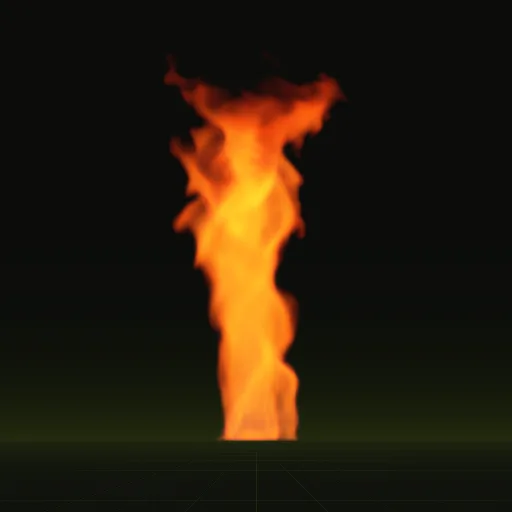
Compiles that each play on one quad

How do I optimize a large number of fire particles in Godot?
Use fewer, larger fire particles with an unshaded additive material, no shadows, merged nearby emitters and a Visibility Range End for distance.
How do I reduce overdraw from thick smoke in Godot?
Use fewer, more opaque smoke cards with a denser sheet, keep the camera outside the column and inspect hotspots with Display Overdraw.
How do I optimize ground dust when many characters emit it at once?
Keep a small pool of shared One Shot emitters and move one to each footstep with restart() instead of giving every character a node.
Why do particles cause performance issues in Godot?
Large overlapping transparent quads cause heavy overdraw because every layer shades the same screen pixels again, which Display Overdraw reveals.
How does texture resolution affect particle quality and performance?
Higher resolution adds sharpness only when the effect fills enough screen pixels, so smaller tiles save memory and bandwidth for distant effects.
Compile your first effect
You pay per compile and see the price before it runs. New accounts start with $5 of usage.