LEARN // EFFECTS
What is overdraw
Overdraw is when your game shades the same screen pixel several times in one frame because transparent surfaces stack on top of each other. Particle effects cause most of it: ten overlapping smoke quads covering half the screen shade that half ten times. The cost grows with how much screen the effect covers, not with particle count alone.
- Godot 4 Available
- Unity Manual setup
- Unreal Engine Manual setup
- Roblox Studio Manual setup
- three.js Available
A draft compile is from $0.05, and new accounts start with $5 of usage.

01 // HOW IT WORKS
Why transparency stacks up
Opaque surfaces hide what is behind them, so the depth test skips most hidden pixels. Transparent ones blend with what is already drawn, so every layer runs its shader. A smoke cloud built from 40 soft puffs, each a large and mostly empty quad, can shade the middle of the screen 40 times.
The same smoke that is cheap at a distance becomes the slowest thing in the frame when the camera walks into it, because it then covers every pixel. Higher resolutions raise the cost further, and mobile and VR games feel it first.
02 // IN YOUR ENGINE
Find and cut overdraw
- To see it, use the Display Overdraw view mode in Godot 4, the Overdraw draw mode in Unity's Scene view (and in the URP Rendering Debugger), or the Shader Complexity and Quad Overdraw view modes in Unreal Engine.
- Use fewer, richer particles. A few large flipbook frames that already look like a plume beat dozens of plain soft puffs.
- Trim empty space by fitting the quad to the visible shape, or use a cut-down mesh with fewer transparent pixels.
- Fade or cull particles close to the camera, and lower spawn rates at a distance or on low settings.
03 // REAL OUTPUT
Whole smoke plumes on one quad
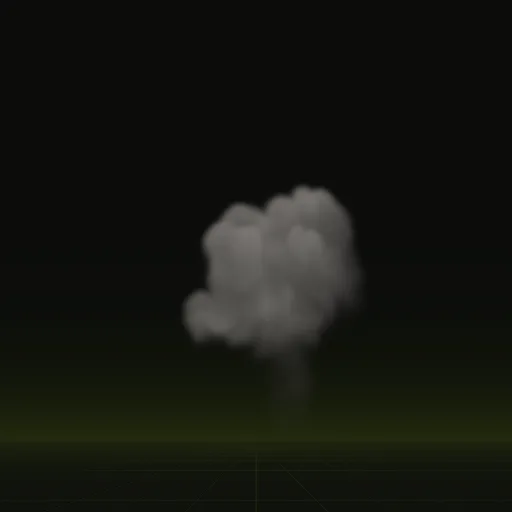
Each frame of the smoke plume and the smoke column holds the full cloud, so one billboard does the work of many stacked puffs.
04 // SPATIAL COMPILER
Use fewer layers with precomputed smoke
A precomputed plume already contains its own depth and lighting, so one or two billboards can stand in for a pile of overlapping puffs. Each compile records metres_per_tile in layout.json, the side of its square tile in meters, so you can judge how much screen the quad will cover before you place it. Six-way lighting keeps a single layer from looking flat. See Godot smoke plume.
How do I reduce overdraw and improve the performance of volumetric looking smoke?
Use fewer, larger particles with detailed six way lit flipbooks, trim empty transparent space and fade particles near the camera.
How do I optimize a large number of fire particles in Godot?
Lower the particle amount, use full flame flipbooks, fit visibility_aabb tightly and inspect pixel cost in the Display Overdraw view.
How do I optimize many fire, smoke and explosion flipbooks for WebGL or WebGPU?
Batch particles into one THREE.Points or instanced mesh with depthWrite set to false and keep screen coverage small.
How do I optimize ground dust effects when many characters emit them simultaneously?
Cap active dust emitters, reuse an emitter pool and keep each puff short lived with few particles.
Does a 2048 by 2048 texture cause more overdraw than a 1024 by 1024 one?
No, overdraw depends on screen pixel coverage and stacked layers, while larger textures mainly increase memory and bandwidth use.
Compile your first effect
You pay per compile and see the price before it runs. New accounts start with $5 of usage.