GUIDE // GODOT 4
How to make fire light up nearby objects in Godot 4
Particles do not cast light, so place an OmniLight3D at the base of the fire with a warm color and a range of a few meters, then flicker its energy from a script. Make the flame itself bloom with glow in your WorldEnvironment. One light per fire, or per group of fires, keeps the cost down.
- Godot 4 Available
- Unity Manual setup
- Unreal Engine Manual setup
- Roblox Studio Manual setup
- three.js Available
A draft compile is from $0.05, and new accounts start with $5 of usage.

01 // HOW TO
Add the light and the glow
- Add an
OmniLight3Das a child of the fire, about a third of the way up the flames. - Set Color to a warm orange, Energy to about 1 to 3 and Range to the distance the fire should reach, 4 to 6 m for a campfire.
- Leave Shadow off unless the shadows matter, since a shadowed light draws the objects around it again from the light's point of view.
- Attach the flicker script,
fire_light.gd, to the light. - In your
WorldEnvironment, turn on Glow and lower HDR Threshold until the flame core blooms. - For the flame material, set Emission or an Unshaded, Add-blended sheet with brightness above 1, so glow picks it up.
extends OmniLight3D

@export var base_energy := 2.0
var noise := FastNoiseLite.new()
var t := 0.0

func _ready() -> void:
	noise.frequency = 6.0

func _process(delta: float) -> void:
	t += delta
	light_energy = base_energy * (0.85 + 0.15 * noise.get_noise_1d(t))
Noise gives a flicker that wanders instead of jumping, and the small range of 0.7 to 1.0 times base energy keeps the room from strobing.
02 // WITH SPATIAL COMPILER
A flame that blooms on its own
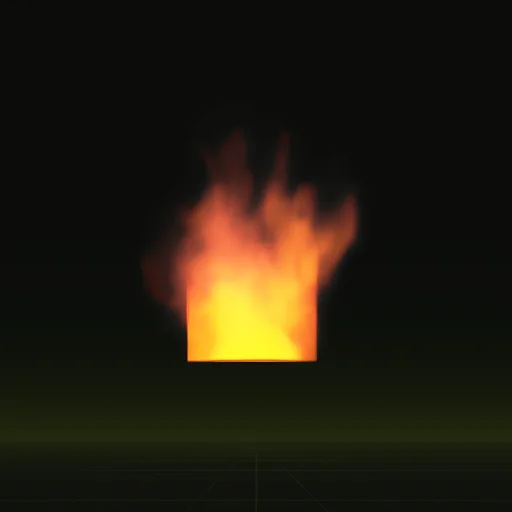
Ask your agent for a fire and, in Godot 4, it drops the fire into a scene with a shader that adds the flame as HDR light, brighter than plain white, so your WorldEnvironment glow blooms it with no extra material work.
The fire lights itself and its own smoke. It does not light the floor or the walls around it, so you still add the OmniLight3D and its flicker script by hand.
03 // COST
How many fire lights you can afford
The Forward+ renderer handles many lights per screen. The Mobile and Compatibility renderers limit how many lights can touch one mesh, 8 by default, so a street of burning cars needs one light per group of fires.
For fires that burn for the whole level, set the light's Compile Mode to Static and compile it with LightmapGI, then keep a dim real-time light only for the flicker.
04 // REAL OUTPUT
Fire compiles with HDR flame
How do I make fire illuminate nearby objects using GPUParticles3D in Godot?
Add an OmniLight3D as a child of the GPUParticles3D because particles only draw themselves while the light illuminates surrounding surfaces.
How do I make an explosion cast dynamic light without spawning too many lights?
Use one OmniLight3D per explosion and fade its energy to 0 with a Tween before freeing it or share one light for nearby blasts.
How do I make fire particles glow in Godot?
Enable Glow in WorldEnvironment and give the particle material brightness above 1 with Emission or an Unshaded material above the HDR Threshold.
Is there a light limit per mesh in Godot?
Yes, Forward+ allows many lights per view while Mobile and Compatibility renderers cap lights per mesh at 8 by default.
Compile your first effect
You pay per compile and see the price before it runs. New accounts start with $5 of usage.