GUIDE // GODOT 4
How to loop a fire sprite sheet in Godot 4 without a pop
You need a sheet whose last frame flows into its first, played with looping on and nothing restarting in sync. In Godot 4 that means Loop on in AnimatedSprite3D or Particles Anim, Explosiveness at 0 and some Preprocess time on the emitter. Ask your agent for a looping fire and the sheet comes already blended at the wrap.
- Godot 4 Available
- Unity Manual setup
- Unreal Engine Manual setup
- Roblox Studio Manual setup
- three.js Available
A draft compile is from $0.05, and new accounts start with $5 of usage.

01 // WHY IT POPS
Where the pop comes from
- If the sheet's last frame does not lead into its first, the flame jumps at the wrap, and no engine setting fixes that.
- With Explosiveness above 0, a whole batch of particles is born and dies on the same frame, so they all restart together.
- An emitter that starts empty grows the fire from nothing for one lifetime after the scene loads. Preprocess runs that time before the first frame.
- A particle that ends at full opacity blinks out at its brightest. Fade alpha to 0 at the end of the Color Ramp.
02 // HOW TO
Loop one campfire with AnimatedSprite3D
For a single fire in one spot, an AnimatedSprite3D plays a looping sheet with fewer settings than particles.
- Add an
AnimatedSprite3Dand create a newSpriteFramesresource in Sprite Frames. - In the SpriteFrames panel, click Add Frames from Sprite Sheet, pick your sheet and set Horizontal and Vertical to the grid, 8 and 8 for 64 frames.
- Select all frames in order and add them.
- Set the animation speed to frames divided by loop length, 32 FPS for 64 frames over 2 seconds, and turn on Loop.
- Turn on Autoplay on Load for the animation, set Billboard to Enabled or Y-Billboard, and leave Shaded off so scene light does not darken the flame.
- Run the scene and watch the wrap for a full minute. If it still jumps, the sheet itself does not wrap.
For a fire built from many particles, keep the sheet looping in Particles Anim > Loop, set Explosiveness to 0 so births spread over the lifetime, and set Preprocess to one lifetime.
03 // WITH SPATIAL COMPILER
Get a sheet that already wraps
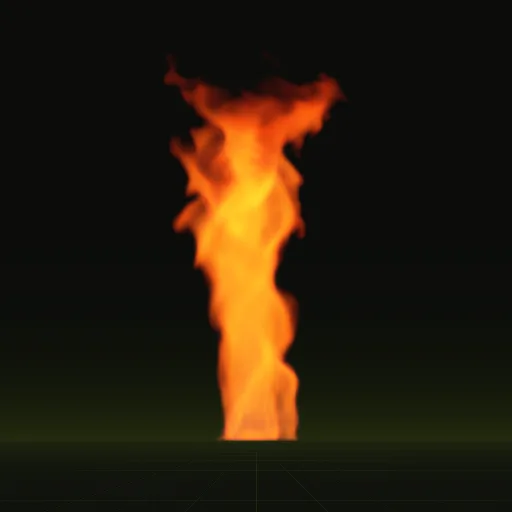
Ask your agent for a looping fire. With export.loop = true the compile blends its last frames into its first (loop_blend_frames, 8 by default and 12 in the example fire) after a warm-up, so the flame is already burning in frame one. The report your agent reads flags a visible seam and names the setting to change.
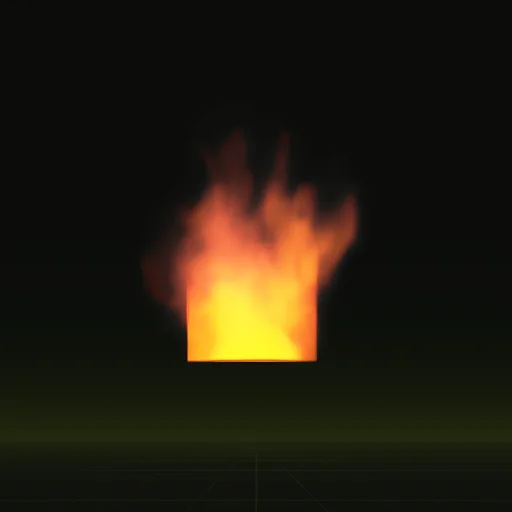
In Godot 4 your agent drops the fire into a scene for you, and it loops on its own when it plays. The example fire is a 2 second loop of 64 frames, about 1.5 m across.
How do I make a fire particle system loop without visible popping in Godot?
Set Explosiveness to 0, give the emitter Preprocess time and fade each particle out at the end of its Color Ramp.
How do I make fire particles rise and flicker instead of moving straight?
Give the process material a small upward velocity and turn on Turbulence so each particle wanders while the looping sheet supplies its own flicker.
How do I make fire particles fade from yellow to orange to transparent?
Add a Color Ramp to ParticleProcessMaterial from yellow to orange to zero alpha and enable Vertex Color Use as Albedo on the draw material.
How do I build a campfire effect in Godot?
Place one looping fire sheet on a billboard at the fire pit with an OmniLight3D above it and a thin smoke loop rising overhead.
How many frames does a looping fire sheet need?
Multiply loop seconds by frames per second; the example fire loops 2 seconds across 64 frames, playing at 32 frames per second.
Compile your first effect
You pay per compile and see the price before it runs. New accounts start with $5 of usage.