EFFECTS // UNITY
How to make smoke in Unity
In Unity, you can play smoke that loops as a leaning plume or rises once after a blast. Your agent makes PNG sprite sheets of 64 frames, and the Particle System's Texture Sheet Animation, with Tiles set to 8 by 8, plays them as a loop or once.
- Godot 4 Available
- Unity Manual setup
- Unreal Engine Manual setup
- Roblox Studio Manual setup
- three.js Available
A draft compile is from $0.05, and new accounts start with $5 of usage.

01 // WHAT YOU GET
What you get for smoke in Unity
Two smoke examples cover steady and one-time smoke. The smoke plume leans with the wind and loops every 4 seconds, about 7 m wide and 10.8 m tall, like smoke from a chimney or a wreck. The smoke column climbs, spreads and thins over 5 seconds after a burst, about 8.2 by 9.9 m.
Each compile is three 2048 px PNG sheets of 64 frames on an 8 x 8 grid, a layout.json with the timing, and previews. The sheets carry lighting from six directions, not one painted color image, so Unity needs a small material to show them.
02 // BY HAND TODAY
Set up the smoke in Unity by hand
- Ask your agent for the effect (for example "dark smoke rising from a burning car, looping") and download the output folder. Import
main_pos.pngandmain_neg.pngwith Wrap Mode set to Clamp and Alpha Is Transparency off. They are data your material reads, not finished pictures, and the alpha ofmain_neg.pngholds flame brightness, which that option would treat as transparency. - Make a material for a Particle System. The quick setup uses the alpha of
main_pos.pngas opacity and its green channel (light from above) as brightness, tinted with your smoke color. Shader Graph's Flipbook node or a small custom shader can read the sheets. - In the Texture Sheet Animation module, set Mode to Grid, Tiles X and Y to 8 and Animation to Whole Sheet.
- Loop the plume (Looping on, Start Lifetime 4, Frame over Time linear from 0 to 1, Cycles 1) and play the column once (Looping off, one Burst, Start Lifetime 6, Stop Action Destroy). The column's frames crowd its start, so key its Frame over Time from the frame times in
layout.json(frame index divided by 64 against time divided by 6 s), or compile it withexport.pacing = "even". - Keep the particle square and set its size to the meters per tile in
layout.json, a little over 10.8 m for the smoke, so it shows at its real scale.
03 // REAL OUTPUT
Compare the smoke examples
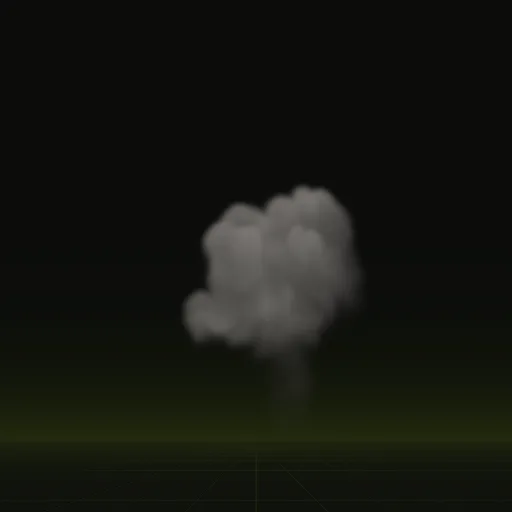
These clips are final-quality compiles of the shipped examples, played from their own sheets. Your agent can start from any of them.
04 // ADJUST IT
Adjust the smoke for your scene
Lighting matters most for smoke, because a flat sprite looks wrong the moment your sun moves. Ask your agent for thicker or thinner smoke, a different color, or more lean in the wind.
Put the plume where something keeps burning and play the column once after an explosion ends.
05 // WHICH ONE
Pick a smoke example
smoke_plume: Chimney or wreck smoke leaning with the wind. Loops, 7.0 x 10.8 m, 4 s loop.smoke_column: Smoke left after a burst. It climbs, spreads and thins. Plays once, 8.2 x 9.9 m, 5.0 s.
Each one has its own page: Smoke plume, Smoke column.
Is there a ready smoke effect for Unity?
Start from smoke_plume or smoke_column and ask your agent for dark looping smoke from a burning car. Animate the resulting sprite sheet in Unity.
How do I import a smoke flipbook texture into Unity?
Import the PNG sheets, set Wrap Mode to Clamp, leave Alpha Is Transparency off and set Texture Sheet Animation to an 8 by 8 grid.
How do I randomize the starting frame of smoke particles in Unity?
Set Start Frame to Random Between Two Constants from 0 to 63 in Texture Sheet Animation. Every frame is a valid loop start.
How do I make smoke respond to scene lighting in Unity?
Use a lit particle material and sample brightness from a lighting sheet. The compiled sheets store light from six directions.
How many frames does a Unity smoke effect use?
The smoke compiles use 64 frames over a 4 s loop for the plume and a 6 s clip for the column with frame blending.
Compile your first effect
You pay per compile and see the price before it runs. New accounts start with $5 of usage.