EFFECTS // ROBLOX STUDIO
How to make a dust effect in Roblox Studio
In Roblox Studio, one ParticleEmitter plays a dust burst that plays once, a landing ring or thrown earth. Upload your 1024 px sheet with 64 frames, set FlipbookLayout to Grid8x8 and FlipbookMode to OneShot.
- Godot 4 Available
- Unity Manual setup
- Unreal Engine Manual setup
- Roblox Studio Manual setup
- three.js Available
A draft compile is from $0.05, and new accounts start with $5 of usage.
01 // WHAT YOU GET
What you get for dust in Roblox Studio
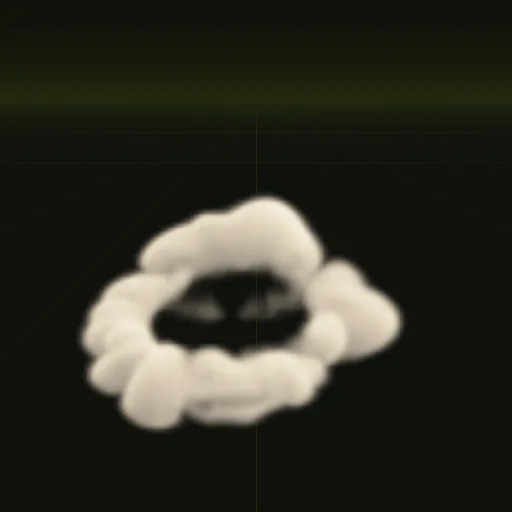
Two examples carry dust. The dust ring spreads out low along the ground for 2.1 seconds, about 10.5 m wide and only 2.2 m tall, like a blast wave or a heavy landing. The impact throws earth up with a flash and a little smoke in 2 seconds.
Each compile is four 2048 px PNG sheets of 64 frames on an 8 x 8 grid, a layout.json with the timing, and previews. The sheets carry lighting from six directions and the flame separately, not one painted color image, so for Roblox Studio you turn them into one image per ParticleEmitter: a smoke texture and, for flame, a second one on black.
02 // BY HAND TODAY
Set up the dust in Roblox Studio by hand
- Ask your agent for the effect (for example "a dust puff about 2 m wide when a character lands") with
export.tile_px = 128, so each 8 x 8 sheet is 1024 x 1024 px, the largest image Roblox keeps. Also ask forexport.pacing = "even": OneShot spaces the frames evenly over Lifetime, and the example spends more frames on its fast start. - A ParticleEmitter takes one texture, so pack the smoke into one image: ask for
export.packto write the light from above (green ofmain_pos.png) into RGB and opacity (alpha ofmain_pos.png) into alpha. - Upload the image in the Asset Manager and paste its id into the Texture of a ParticleEmitter.
- Set FlipbookLayout to Grid8x8 and FlipbookMode to OneShot with Lifetime 3 and Rate 0, then call
Emit(1)when the dust happens. - Set LightInfluence to 1 so the smoke takes the scene light, and keep LightEmission at 0. Set Size to the meters per tile in
layout.jsonconverted to studs, a little over 37 studs for the dust.
03 // REAL OUTPUT
Compare the dust examples
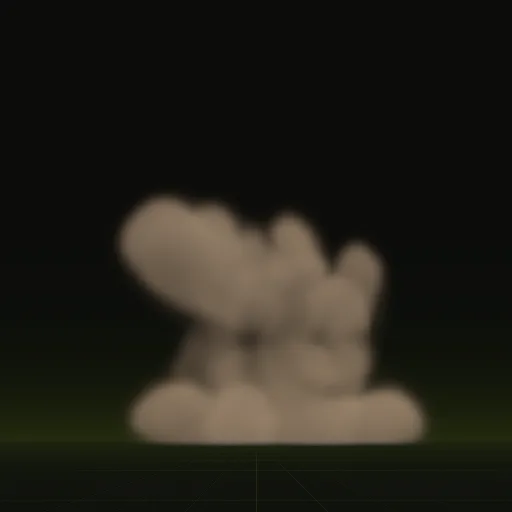
These clips are final-quality compiles of the shipped examples, played from their own sheets. Your agent can start from any of them.
04 // ADJUST IT
Adjust the dust for your scene
Dust reads best close to the ground, so line the bottom of the effect up with your terrain. Ask your agent for a smaller ring for a character landing, a sandier color for a desert map, or a taller spray for a vehicle.
Both are one-shots that end once the dust has settled.
05 // WHICH ONE
Pick a dust example
How do I get a dust effect for Roblox Studio?
Start from dust_ring or impact and ask your agent for a dust puff about 2 m wide when a character lands. Play the compiled texture in Roblox Studio.
How do I import a dust flipbook texture into Roblox Studio?
Upload one 1024 x 1024 PNG with color in RGB and opacity in alpha, paste its id into a ParticleEmitter Texture and set FlipbookLayout to Grid8x8.
How do I randomize the starting frame of Roblox dust flipbook particles?
Turn on FlipbookStartRandom so each new particle starts on a random frame of the 64, which works well for looping effects.
How do I play the Roblox dust flipbook only once?
Set FlipbookMode to OneShot, Rate to 0 and Lifetime to 3 s, then call Emit(1) from a script after compiling with even pacing.
What frame resolution should a Roblox Studio dust effect use?
Each frame is 256 px square by default, which is plenty for dust seen from a few meters away. Ask for 128 px tiles for smaller screen coverage.
Compile your first effect
You pay per compile and see the price before it runs. New accounts start with $5 of usage.