EFFECTS // THREE.JS
How to make a window fire in three.js
In three.js, you can play a window fire venting flame and smoke from a burning room. A snippet loads the packed RGBA sprite sheet on a THREE.Sprite, sets the texture repeat to one eighth, and wraps back to frame 0. Godot 4 gets a ready scene that relights the smoke.
- Godot 4 Available
- Unity Manual setup
- Unreal Engine Manual setup
- Roblox Studio Manual setup
- three.js Available
A draft compile is from $0.05, and new accounts start with $5 of usage.
01 // WHAT YOU GET
What you get for window fire in three.js
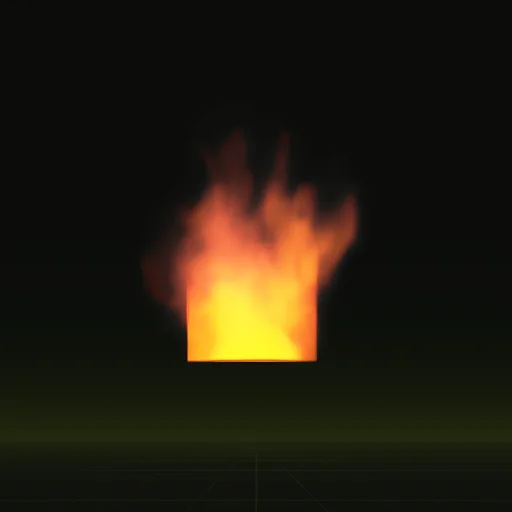
The window fire is a burning room venting flame and smoke through a window. Three obstacles in the spec make the wall and the opening, so the flames curl out and up the way they do from a real window. The effect is about 3.9 m wide and 4.7 m tall and loops every 2 seconds.
You get four PNG sheets of 64 frames, a layout.json with the timing, and previews, which three.js plays through a small material.
02 // HOW TO
Play the window fire in three.js
- Ask your agent for the effect (for example "a fire venting from a second-floor window that loops") with
export.packwriting the light from above into RGB and opacity into alpha, so one PNG holds gray shading you can tint. (main_pos.pngas it comes holds three light directions in RGB, not a color.) Load it withTextureLoaderand settexture.repeat.set(1 / 8, 1 / 8). - Put it on a
THREE.Spritewith aSpriteMaterial(transparent: true,depthWrite: false) so it always faces the camera. For the flame, make a second texture in an image editor,main_colour.pngmultiplied by the alpha ofmain_neg.pngsquared, and draw it on a second sprite withTHREE.AdditiveBlending. That texture is normalized, so restore the peak on the flame sprite withmaterial.color.setScalar(emitMax), whereemitMaxisscales.emit_max_hdr. - Each frame, pick the tile: column
i % 8and rowMath.floor(i / 8), then settexture.offset.set(col / 8, 1 - (row + 1) / 8). - Advance
iby 32 frames a second, the window fire's real speed (64 frames in 2 s), and wrap it withi % 64so it loops. - Set
sprite.scale.set(s, s, 1)withsthe meters per tile fromlayout.json, a little over 4.7 m for the window fire, so it shows at its real size.
03 // ADJUST IT
Adjust the window fire for your scene
Place it against a building so the flames come out of a window in your model. Only the fire and smoke are in the sheets, so your own building model supplies the wall. Ask for a wider window or heavier smoke to match the building.
04 // SETTINGS
Settings in the window fire spec
Three obstacles make the building: a block, the room carved out of it and the window carved through its front. The fire burns on the room floor.
Ask your agent to change these and compile again; the full window_fire spec lists every value.
Is there a window fire effect for three.js?
Yes. Ask your agent for a fire venting from an upper window that loops, starting from the window_fire example.
How do I loop a window fire sprite sheet in three.js?
Advance a frame counter at 64 frames per 2 seconds, wrap it modulo 64 and set texture.offset from the column and row.
How do I make a realistic window fire in three.js?
Start from a simulated room fire instead of manual particles. Three obstacles form the wall, room and window opening.
How do I keep a window fire in proportion in three.js?
Keep the Sprite square because every tile is square. Set sprite.scale.set(s, s, 1) using the meters per tile from layout.json.
Should the first and last frames of a window fire loop match?
Yes. The window fire compile blends its last 12 frames into its first, so frame 64 leads straight back to frame 1 every 2 seconds.
Compile your first effect
You pay per compile and see the price before it runs. New accounts start with $5 of usage.