LEARN // EFFECTS
What are flipbook motion vectors
Flipbook motion vectors are a texture that records which way each pixel of your effect moves from one frame to the next. Your shader uses them to slide the current frame forward and the next frame back before blending, so a 64-frame flipbook plays smoothly at slow speeds instead of stepping or showing double images.
- Godot 4 Available
- Unity Manual setup
- Unreal Engine Manual setup
- Roblox Studio Manual setup
- three.js Available
A draft compile is from $0.05, and new accounts start with $5 of usage.

01 // HOW IT WORKS
How motion vectors line up two frames
Without blending, a flipbook jumps from cell to cell, which shows as stutter when the effect plays slowly or sits close to the camera. A plain crossfade between two frames hides the steps but leaves a ghost, because halfway through the smoke sits in two places at once.
A motion vector texture stores a 2D offset per pixel, usually in the red and green channels, with mid gray meaning no motion. Between frames the shader samples frame A pushed part of a step along the motion and frame B pulled back by the rest, so the two copies line up before they mix. A scale value turns the stored offsets into texture units.
02 // IN YOUR SCENE
When you need them
- Large, slow smoke close to the camera, where each frame stays on screen long enough to notice.
- Effects played slower than they were precomputed, for slow motion or a calmer plume.
- Short sheets, where motion blending lets 32 or 64 frames cover a longer clip.
- Unity's URP Flip-Book Blending and Unreal's Sub UV Blending are crossfades, so motion vector blending needs a custom shader or material in most engines.
03 // REAL OUTPUT
Compiles that carry motion
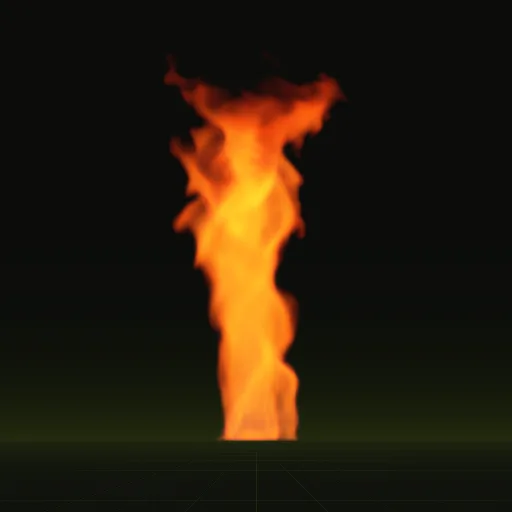
Both compiles include a motion sheet: the smoke plume drifts with the wind and the fire whirl spins.
04 // SPATIAL COMPILER
Motion in every compile
Every compile writes motion to the red and green channels of main_aux.png, with the scale to decode it in layout.json, so a shader can blend frames with it. The same sheet stores depth in blue for the soft fade against scene geometry. See motion vectors.
How do I blend between flipbook frames smoothly?
Crossfade the current and next frames by the time fraction between them and warp both with a motion vector texture first to avoid ghosting.
Why does my flipbook animation stutter or appear to skip frames?
Stutter happens when frame rate is too low for the motion or playback speed does not match the total frame count and lifetime.
What frame rate should I use for a flipbook animation?
Match the rate the frames were made for, often 24 to 32 frames per second or play slower when using motion vector blending.
How do I enable SubUV interpolation between flipbook frames?
In Unreal Engine, enable Sub UV Blending Enabled on the Niagara Sprite Renderer and use a Particle SubUV node, adding motion vectors in custom materials.
Compile your first effect
You pay per compile and see the price before it runs. New accounts start with $5 of usage.