GUIDE // ANY ENGINE
How to blend between flipbook frames smoothly
Sample the current frame and the next one, then mix them by how far your playback has moved between the two. A plain crossfade works but leaves ghosted double edges on fast motion. Motion vectors, a texture that stores which way each pixel moves, let the shader slide both frames toward each other, so motion stays sharp with fewer frames.
- Godot 4 Available
- Unity Manual setup
- Unreal Engine Manual setup
- Roblox Studio Manual setup
- three.js Available
A draft compile is from $0.05, and new accounts start with $5 of usage.

01 // TWO METHODS
Crossfade or motion vectors
A crossfade needs nothing but the sheet. At frame 10.25, show 75% of frame 10 and 25% of frame 11. That looks fine on slow smoke, but on fast fire you see two faint flames instead of one moving flame.
Motion vectors need a second sheet with the same grid, where red and green store how far each pixel moves to reach the next frame. The shader pushes frame 10 a quarter of the way forward and pulls frame 11 three quarters of the way back, so both line up before they mix. Smoke stays smooth at 16 frames per second or lower.
02 // BY ENGINE
Where each engine offers blending
- Unity: Flip-Book Blending on the URP particle shaders, with the UV2 and AnimBlend custom vertex streams turned on in the Renderer module.
- Unreal Engine: Sub UV Blending Enabled on the Niagara Sprite Renderer.
- Godot 4: the Particles Anim setting on
StandardMaterial3Dshows one cell at a time, so blending needs a shader of your own. - three.js: a
ShaderMaterialthat samples two cells and mixes them.
03 // WITH SPATIAL COMPILER
Motion vectors in every compile
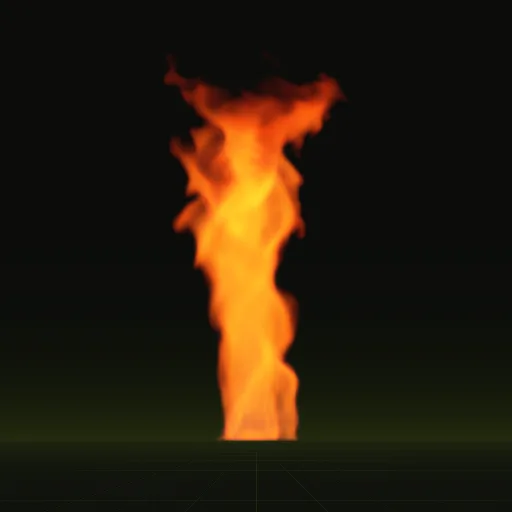
Every Spatial Compiler compile writes motion vectors into main_aux.png (red and green) next to the other sheets, and layout.json records the scale to decode them. In Godot 4 your agent drops the effect into a scene with a shader that blends along those vectors, so a 4 second smoke loop plays smoothly from 64 frames.
How do I enable SubUV interpolation between flipbook frames in Unreal?
Turn on Sub UV Blending Enabled in the Niagara Sprite Renderer and use a material with the Particle SubUV node to crossfade frames.
How does a flipbook texture play in a game engine?
The engine picks one cell of the grid per step and moves the UVs to it. Blending picks two cells and mixes them.
How do I advance through a three.js flipbook over time?
Compute a fractional frame number from elapsed time times fps. Use its floor for the cell and its fraction to blend with the next.
Is there a Godot flipbook shader that blends frames?
StandardMaterial3D shows one cell at a time, so write a spatial shader that samples two cells or use the installed motion vector shader.
Compile your first effect
You pay per compile and see the price before it runs. New accounts start with $5 of usage.