GUIDE // UNREAL ENGINE
How to enable Sub UV blending between flipbook frames in Niagara
Check Sub UV Blending Enabled under your Sprite Renderer's Sub UV settings, and keep Blend turned on in the material's Particle SubUV node. Niagara then samples the current and the next frame and mixes them by the fraction of the frame index, so a slow or stretched flipbook flows instead of stepping.
- Godot 4 Available
- Unity Manual setup
- Unreal Engine Manual setup
- Roblox Studio Manual setup
- three.js Available
A draft compile is from $0.05, and new accounts start with $5 of usage.
01 // HOW TO
Turn on blending
- Select the Sprite Renderer and, under Sub UV, set Sub Image Size to 8 x 8 and check Sub UV Blending Enabled.
- Open the material, select the Particle SubUV node and make sure Blend is checked in its details.
- Leave the Sub UV Animation module as it is. It already writes a fractional frame index, and the fraction now sets the mix.
- To test, double the particle's Lifetime, for example 12 s for the smoke column, whose frames span 6 s, and compare with blending on and off.
02 // REAL OUTPUT
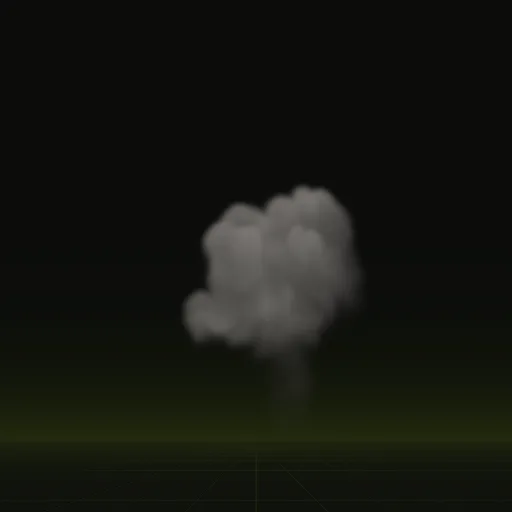
Slow smoke where blending shows most
The smoke plume loops every 4 s and drifts slowly, so blending hides its steps even at half speed.

03 // HOW IT WORKS
Cross-fades and motion vectors
A blended frame is two frames drawn at partial opacity, which costs one extra texture read per sheet. Fast flames played far below their rate can show doubled edges.
Motion vectors (per-pixel data on which way each part of the frame moves) let a material warp one frame toward the next instead. Spatial Compiler writes motion into the red and green of main_aux.png with its scale in layout.json. Reading it in Unreal takes a custom material, and nobody has tested one with these sheets.
Bleeding between frames gets worse with blending, since every pixel reads two cells. Keep tiling on Clamp, and if faint edges appear at a distance, set Mip Gen Settings to NoMipmaps for that texture.
How do I choose the texture size and frames for a Niagara flipbook?
Start from 64 frames on an 8 by 8 grid of 256 px tiles, a 2048 px sheet. Use 128 px tiles for smaller effects.
How do I make Niagara advance through a flipbook over particle lifetime?
Add the Sub UV Animation module to Particle Update in Linear mode. It maps each particle age across its lifetime onto the frames from first to last.
How do I create a Niagara material that uses a flipbook texture?
Make a translucent or additive material, sample the sheet with a Particle SubUV node and multiply it by Particle Color before assigning it to the Sprite Renderer.
How do I prevent texture bleeding in a particle atlas?
Add edge pixel padding around each cell, keep transparent margins inside alpha cells, set wrap mode to clamp and limit mip levels if needed.
Compile your first effect
You pay per compile and see the price before it runs. New accounts start with $5 of usage.