GAMES // SHOOTER FIRE
Fire effects for a shooter game
Fire in a shooter map is usually a burning building seen from the street, so you want flames that pour from a window and loop for the whole match. Use a 2 s window fire loop placed flush with the wall, start each window at a different point in the loop, and add a flickering light for the street.
- Godot 4 Available
- Unity Manual setup
- Unreal Engine Manual setup
- Roblox Studio Manual setup
- three.js Available
A draft compile is from $0.05, and new accounts start with $5 of usage.
01 // WHY IT FITS
Why the side-on compile fits a street view
The compile camera is side-on by default, and a player on the street looks at a burning window from roughly the same angle. The window fire example builds the house from three solids: a wall block, a room carved out of it and a window 0.7 m wide and 0.65 m tall through the front, centered 1.5 m above the floor. Flame rolls out of that opening and climbs the wall.
The scene's origin is on the ground, at the foot of the wall under the window. Line the quad up with your window, or scale the effect so its 0.7 m opening matches yours.
02 // LOOPS
Loop for a whole match without a visible wrap
The loop is 64 frames over 2 s. The compile blends its last 12 frames into the first, so the step from frame 63 back to frame 0 does not jump.
A street of identical windows that all flare on the same frame looks mechanical. Turn autoplay off, give each window its own starting time_s between 0 and 2, and advance it yourself.
extends Node3D

@onready var fire: Node3D = $WindowFire

func _ready() -> void:
	fire.autoplay = false
	fire.time_s = randf() * 2.0

func _process(delta: float) -> void:
	fire.time_s = fmod(fire.time_s + delta, 2.0)
03 // LIGHT
Light the street under the window
The shader adds the flame as HDR light, so WorldEnvironment glow blooms the window. To light the pavement and the walls across the street, add an OmniLight3D just outside the window and vary its energy a little each frame. At street distance, one light for every few windows is enough.
For a molotov or a burning car on the ground, use the steady fire compile instead: a 2 s loop about 1.5 m across that runs for as long as the fire's damage area lasts.
04 // REAL OUTPUT
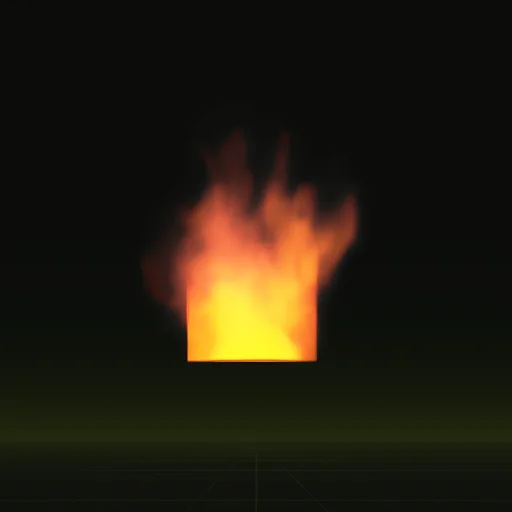
Window fire and ground fire
Both are 2 s loops. The window fire is 3.9 x 4.7 m; the ground fire reaches 7.0 m tall.

How do I make a shooter window fire loop continuously without visible popping?
Use a sheet precomputed as a loop. The compile blends its last 12 frames into the first so frame 63 flows into frame 0.
How do I make shooter fire illuminate nearby walls and props?
Place an OmniLight3D beside the flames and vary its energy slightly each frame while HDR flame and glow keep the fire bright.
How do I optimize many burning windows in a shooter map?
Use one precomputed quad per window or share one GPUParticles3D node across windows and keep real lights only on fires near the player.
Can I use precomputed window fire in a 3D Godot shooter map?
Yes. The compiled fire is a 3D scene sized in meters with its origin on the ground, ready to place flush against any wall.
Compile your first effect
You pay per compile and see the price before it runs. New accounts start with $5 of usage.