GAMES // STRATEGY FIRE
Fire effects for a strategy game
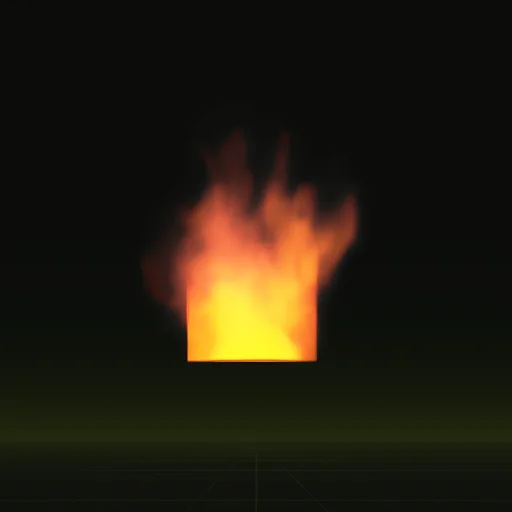
In a strategy game a damaged building burns for minutes, so you want a fire loop that never shows its wrap and grows with the damage. Use a 2 s window fire for buildings and a 2 s ground fire for wrecks, and add or enlarge flames as the building's health drops past each threshold.
- Godot 4 Available
- Unity Manual setup
- Unreal Engine Manual setup
- Roblox Studio Manual setup
- three.js Available
A draft compile is from $0.05, and new accounts start with $5 of usage.
01 // DAMAGE STATES
Fire that follows building health
Key the flames to damage in stages like these, with each scene's origin on the ground where it burns:
- At two-thirds health, one window fire on the side that faces the camera.
- At one-third health, a second window fire and a ground
fireat the base, scaled to the footprint. - Destroyed, the ground fire alone on the rubble, shrunk away over 20 to 30 s.
Each fire is a 2 s loop that blends its last 12 frames into its first, so it can run for the rest of the match without a visible jump.
02 // CAMERA
Fire seen from above
The compile camera is side-on by default. Flames rise, so a side-on fire still reads on a camera-facing quad when your camera tilts down 40 to 50 degrees. For a steeper, near top-down camera, ask your agent to add a view with a pitch_deg that matches it; each view writes its own sheets.
From 60 m, the 4.7 m window fire is about 55 px tall on a 1080p screen. Compiling with export.tile_px = 128 (a 1024 px sheet) still holds more detail than the screen can show.
03 // MANY AT ONCE
Thirty burning buildings
A siege can leave dozens of fires running. Each is a transparent quad, and where they overlap the pixels are drawn again (overdraw), so a burning city block costs more than the same fires spread across the map.
Give each fire a random start inside the 2 s loop so neighboring buildings do not flare together. With wire and set: ["node=particles"] you get a GPUParticles3D. On a by-hand one, the ParticleProcessMaterial Animation Offset (Min 0, Max 1) gives every particle its own start frame.
Real lights add up fast. Let the HDR flame and glow carry most fires, and give an OmniLight3D only to the few nearest the camera.
04 // REAL OUTPUT
Window fire and ground fire loops
The window fire includes the wall it vents from. The ground fire is about 1.5 m across at the base.

How do I randomize the starting frame of each burning building in a strategy game?
Set Animation Offset Min to 0 and Max to 1 on ParticleProcessMaterial or start separate scenes at random time_s values between 0 and 2.
Is there a light limit for many fires on a strategy map?
Yes. Renderers cap how many lights affect a view, so light only fires near the camera and let HDR flame glow handle the rest.
How many frames are needed for a looping strategy fire?
The fire examples use 64 frames over a 2 s loop at 32 frames per second, blending the last 12 frames into the first.
How do I show a building burning progressively in a strategy game?
Place window fire scenes at windows and ground fire at the base with origins on the ground, switching them on as health drops.
Compile your first effect
You pay per compile and see the price before it runs. New accounts start with $5 of usage.