GAMES // STRATEGY SMOKE
Smoke effects for a strategy game
On a strategy map, smoke rising from wrecks and burning bases shows players where the fighting was, so you want a plume that loops for minutes and reads from far away. Use a 4 s smoke plume that leans with the wind, keep it thin enough that units stay visible, and check how its lean looks when your camera turns.
- Godot 4 Available
- Unity Manual setup
- Unreal Engine Manual setup
- Roblox Studio Manual setup
- three.js Available
A draft compile is from $0.05, and new accounts start with $5 of usage.

01 // WIND
The lean turns with a rotating camera
The smoke plume compile leans with a 1.2 m/s wind along one axis. On a camera-facing quad that lean is fixed on screen, so the smoke always drifts toward the same side of the screen, wherever the camera points.
If your camera never rotates, every plume leans with one map-wide wind and reads right. If players can turn the camera, the drift turns with it, so ask your agent for a lower solver.wind_mps, or none, for smoke that rises nearly straight up.
02 // READABILITY
Keep the units behind it visible
The plume grows to 10.8 m tall and 7.0 m wide. From a camera that looks down at an angle, it projects up the screen from its base and hides what stands behind the wreck. Scale plumes down over busy areas, or put the source where nothing important stands behind it.
Each plume is transparent and overlaps itself and its neighbors, so ten plumes over one base draw the same pixels many times (overdraw). At 60 m a plume is about 125 px tall on a 1080p screen, so export.tile_px = 128 is enough and cuts each sheet to 1024 px.
03 // LIGHTING
Relight the smoke as the sun moves
The plume stores light from six directions (six-way lighting), and in Godot 4 the shader relights it from your DirectionalLight3D and ambient light. A day-night cycle, or a map with a low evening sun, changes the smoke's shading without a new compile.
When a wreck stops burning, play the smoke_column once in place of the loop. It climbs, spreads and thins over 5.0 s.
04 // REAL OUTPUT
The plume loop and the closing column
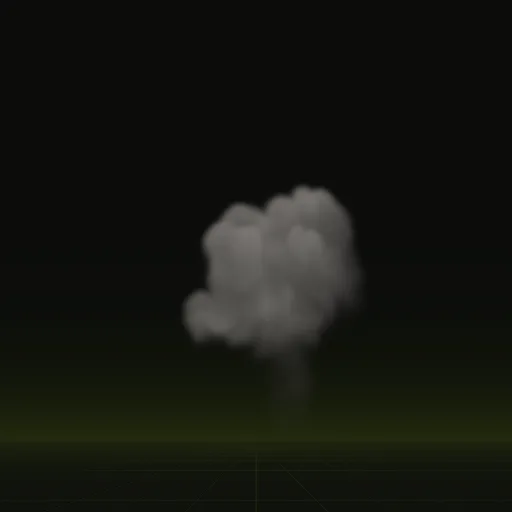
The plume loops every 4 s at up to 7.0 x 10.8 m. The column plays once over 5.0 s.
How do I make strategy map smoke drift with wind rather than rising vertically?
Compile the wind into the simulation. The smoke plume sets solver.wind_mps to 1.2 m/s along one axis so it leans as it rises.
How do I reduce overdraw from strategy smoke plumes?
Use fewer, larger plumes instead of many small puffs, scale them down where they overlap and compile smaller tiles for a far camera.
How do I make strategy smoke particles face the camera correctly in 3D?
Set Billboard Mode to Particle Billboard on a StandardMaterial3D so each quad turns toward the camera, keeping the compiled lean in screen space.
How do I make wreck smoke fade from dark gray to transparent when a fire ends?
Stop the looping plume and play the smoke column compile in its place, which thins to nothing over 5.0 s without extra code.
Compile your first effect
You pay per compile and see the price before it runs. New accounts start with $5 of usage.