GAMES // PLATFORMER DUST
Dust effects for a platformer game
A platformer plays landing dust hundreds of times, so it has to be small, quick and seen from the side. Use a side-on dust ring scaled to your character's width, play it at two or three times its precomputed speed for a snappy puff, and trigger it on the frame your character touches the floor.
- Godot 4 Available
- Unity Manual setup
- Unreal Engine Manual setup
- Roblox Studio Manual setup
- three.js Available
A draft compile is from $0.05, and new accounts start with $5 of usage.
01 // SIDE VIEW
Compile it from the side, like your camera
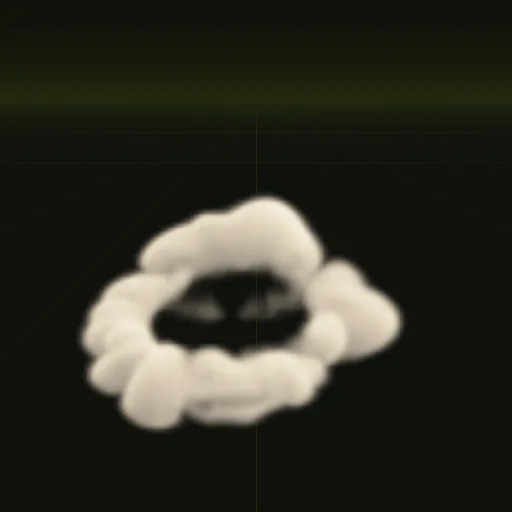
A platformer camera looks at the level from the side, which is the compile camera's default, but the dust ring example looks down at 35 degrees. Ask your agent to compile it with pitch_deg = 0 so the ring reads as a low burst spreading left and right along the floor.
The ring is 10.5 m wide and 2.2 m tall, sized for a blast. For a character about 1 m wide, scale it to about 0.2, which gives a puff about 2 m across and under half a meter tall.
02 // TIMING
Play the 3 s clip in one second
The ring's 64 frames span 3 s, which feels slow under a character who lands and runs on. Turn autoplay off and drive time_s at three times real time, so the whole clip plays in 1 s and the dust looks lighter and faster.
extends CharacterBody3D

const DUST := preload("res://fx/dust_ring.tscn")
var was_on_floor := true

func _physics_process(_delta: float) -> void:
	# your movement code sets velocity before this line
	move_and_slide()
	if is_on_floor() and not was_on_floor:
		land_dust()
	was_on_floor = is_on_floor()

func land_dust() -> void:
	var fx: Node3D = DUST.instantiate()
	fx.autoplay = false
	get_parent().add_child(fx)
	fx.global_position = global_position
	fx.scale = Vector3.ONE * 0.2
	var tween := fx.create_tween()
	tween.tween_property(fx, "time_s", 3.0, 1.0)
	tween.finished.connect(fx.queue_free)
To skip the dust on small hops, store the fall speed before move_and_slide() and play the ring only when it passes a threshold.
03 // 2D AND 3D
Play many puffs, or use the sheet in 2D
One puff covers a small part of the screen, so even several at once cost little. If enemies land too, ask your agent for set: ["node=particles"] and emit every puff from one GPUParticles3D.
wire writes a 3D scene, so it fits 3D and 2.5D platformers. In a 2D Godot project, put the sheet on a Sprite2D with Hframes and Vframes set to 8 and step its frame from 0 to 63. Ask your agent for export.pack to get one RGBA sheet with the light from above in RGB and opacity in alpha.
How do I create a dust puff when a platformer character lands in Godot?
Track is_on_floor() every physics frame and spawn the dust scene when it turns true. Scale the dust ring to 0.2 and play it at triple speed.
How do I create a dust trail behind a running platformer character?
Emit small puffs from GPUParticles3D at the character's feet while running on the floor. For heavy characters, a scaled dust ring on each footstep works too.
How do I keep platformer landing dust close to uneven ground?
Place the ring at the contact point. It is precomputed to hug the ground with low buoyancy and the Godot shader fades it where it meets geometry.
Does the platformer dust effect work for a 3D platformer in Godot?
Yes. The wire command writes a 3D scene sized in meters with its origin on the ground, so you place it under your character's feet.
Compile your first effect
You pay per compile and see the price before it runs. New accounts start with $5 of usage.