GAMES // PLATFORMER EXPLOSION
Explosion effects for a platformer game
In a platformer you see explosions from the side, next to a character a meter or two tall, so the burst has to be scaled to the level and land with a jolt. Use a fireball or a ground impact scaled to the enemy or bomb, and pair it with a short freeze and a camera shake.
- Godot 4 Available
- Unity Manual setup
- Unreal Engine Manual setup
- Roblox Studio Manual setup
- three.js Available
A draft compile is from $0.05, and new accounts start with $5 of usage.
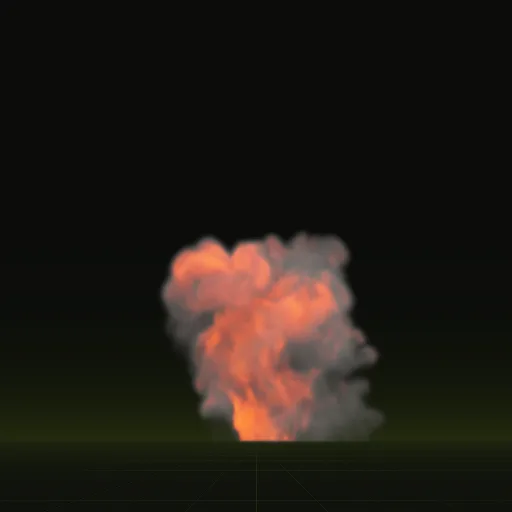
01 // SCALE
A fireball next to a 2 m character
The fireball compile is 13.4 m tall, nearly seven times a 2 m character. A side-on camera 12 m from the level shows about 18 m top to bottom with Godot's default 75 degree field of view, so the full fireball fills three quarters of the screen. Save that size for a boss.
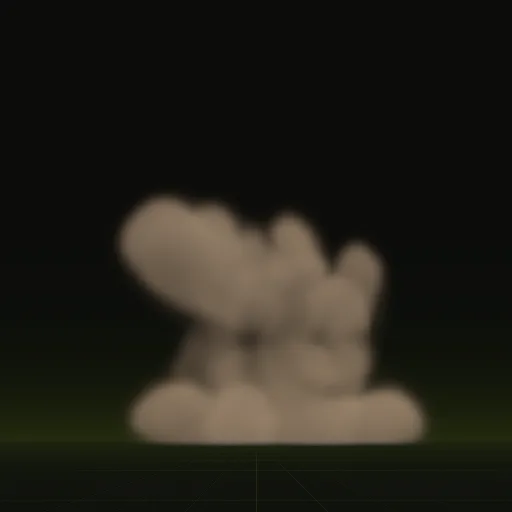
For a bomb enemy, scale the fireball to about 0.25 so it stands about 3.4 m tall. The impact compile, 3.5 x 2.8 m, at about half size makes a ground pound or a crate slamming into the floor.
The compile camera is side-on by default, the same view your player has, so the preview shows what the player gets.
02 // GAME FEEL
Hit pause and camera shake
Platformers make a hit feel heavy with a few frames of hit pause. Set Engine.time_scale to 0 for about 0.05 s of real time, then back to 1. The explosion waits with everything else and starts when the game resumes.
Shake the camera from the same function by offsetting Camera3D.h_offset and v_offset for a few tenths of a second. The offsets leave the camera's follow logic alone.
extends Node

func hit_pause(seconds := 0.05) -> void:
	Engine.time_scale = 0.0
	await get_tree().create_timer(seconds, true, false, true).timeout
	Engine.time_scale = 1.0
03 // HOW TO
Blow up an enemy in Godot 4
- Ask your agent to compile
fireballandimpactat final quality intores://fx/and callwireon each. - When the enemy dies, hide it and instance the fireball at its feet, scaled to about 0.25.
- Call the hit pause and start the camera shake.
- Free the scene when its 4 s clip ends, or earlier if the camera has scrolled past it.
04 // REAL OUTPUT
Fireball and impact, both side-on
Both are shown at precomputed size, before you scale them to your level.
How do I make an explosion light nearby objects in Godot?
Add an OmniLight3D at the base and flicker its energy from a script. The shader adds HDR flame light for glow without lighting other objects.
Does a platformer explosion need a billboard in Godot?
No. With a fixed side camera, a plain quad facing the camera shows the sheet straight on, matching the default side render angle.
Can I use the compiled explosion in a 2D platformer?
Yes, by hand. Request one RGBA sheet with export.pack, put it on a Sprite2D with 8 Hframes and 8 Vframes and play 64 frames over 4 s.
How many frames should a fast platformer explosion use?
The default 64 frames work well. A scaled blast often plays faster than precomputed and at twice speed it still has 64 steps across 2 s.
Compile your first effect
You pay per compile and see the price before it runs. New accounts start with $5 of usage.