MCP // UNITY
Unity MCP for fire, smoke and explosion effects
An MCP server gives your agent tools it can call while it works on your Unity project. Connect Spatial Compiler's hosted server and your agent can make fire, smoke, explosion and dust effects as PNG sprite sheets. You set them up in a Particle System by hand.
- Godot 4 Available
- Unity Manual setup
- Unreal Engine Manual setup
- Roblox Studio Manual setup
- three.js Available
A draft compile is from $0.05, and new accounts start with $5 of usage.

01 // WHAT MCP DOES
What an MCP server does in a Unity project
MCP is the protocol your agent uses to call tools. A server that runs as a Unity Editor plugin gives your agent tools that act on the open project, such as reading the scene hierarchy, creating objects or editing scripts.
Spatial Compiler's hosted server makes effects for your Unity project. Your agent describes the effect, the server compiles it, and your agent saves the sprite sheets under Assets/. The server works from any MCP client, next to the Unity tools your agent already has.
02 // WHAT YOU GET
Files your agent saves under Assets
- Up to four PNG sheets per camera view, each 2048 x 2048 px with 64 frames on an 8 x 8 grid. The fire has four; the smoke has three, because it carries no flame color.
layout.json, with the frame count, playback rate, loop flag and meters per tile. Every tile is square, and Unity's 1 unit is 1 m, so you set a square particle size straight from meters per tile.preview_anim.png, the clip at true speed, which you can open in a browser before you import anything.
03 // HOW TO
Use the sheets in Unity today
You need only Unity's built-in Particle System for this setup.
- Add the hosted server,
https://spatialcompiler.dev/mcp, to your MCP client and sign in in your browser. - Ask your agent for the effect and a folder under
Assets/, and ask it to compile withexport.packset to write the light from above into RGB and opacity into alpha, so you get one RGBA sheet. - Select the packed sheet in Unity, turn on Alpha Is Transparency (its alpha is opacity, unlike the raw output sheets, whose alpha holds data) and set Wrap Mode to Clamp.
- Create a material with the URP Particles/Unlit shader on Alpha blending and assign it in the Particle System's Renderer module. For flame, add a second Particle System with an Additive material and a flame image on black:
main_colour.pngtimes the squared alpha ofmain_neg.png. The image is normalized, so give the material an HDR emission ofscales.emit_max_hdrto restore the peak. - In the Texture Sheet Animation module, set Mode to Grid and Tiles to 8 x 8. For the 2 s fire loop, turn on Looping in the Main module and set Start Lifetime to 2 so one pass of the sheet takes one lifetime.
{
  "mcpServers": {
    "spatial-compiler": {
      "type": "http",
      "url": "https://spatialcompiler.dev/mcp"
    }
  }
}
04 // REAL OUTPUT
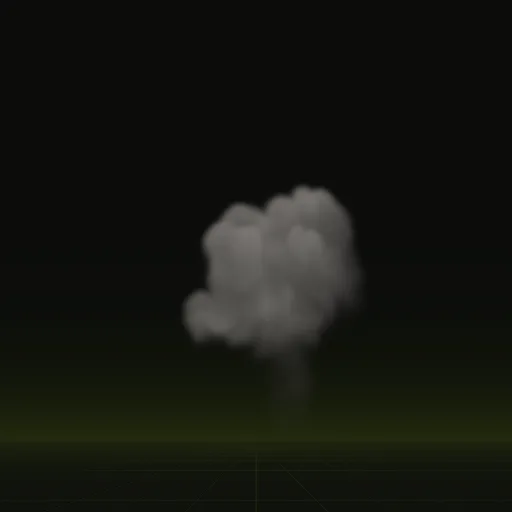
A fire loop and a smoke burst
The fire loops every 2 s across 4.1 x 7.0 m. The smoke column plays once over 5.0 s.
What can a Unity MCP server do for effects?
An editor plugin server edits your open Unity project, while the hosted Spatial Compiler server compiles fire, smoke, explosion and dust PNG sprite sheets.
Do I install the Spatial Compiler MCP through the Unity Package Manager?
No. You add the hosted server URL to your MCP client and your agent saves the compiled PNG sheets directly under Assets.
Is the Unity effects MCP server free to use?
Connecting and running estimates are free, with $5 of starting usage on new accounts. Draft compile start at $0.05 and final compile at $0.10.
Will compiled smoke respond to scene lighting in Unity?
Use the light from above channel on an unlit particle material in Unity to shade smoke, while Godot gets the full relighting shader.
Can I use the Unity effects server with any MCP client?
Yes. The hosted Spatial Compiler server works from any MCP client alongside the Unity tools your agent already uses.
Compile your first effect
You pay per compile and see the price before it runs. New accounts start with $5 of usage.