MCP // GODOT 4
Godot MCP for fire, smoke and explosion effects
Connect your agent to Spatial Compiler's hosted MCP server, and it can add fire, smoke, explosion and dust effects to your Godot 4 project. Ask for the effect in plain words. Your agent compiles it into a folder in the project and writes a ready scene with a shader that lights the smoke from your sun.
- Godot 4 Available
- Unity Manual setup
- Unreal Engine Manual setup
- Roblox Studio Manual setup
- three.js Available
A draft compile is from $0.05, and new accounts start with $5 of usage.
01 // CONNECT
Add the hosted server to your MCP client
MCP is the protocol your agent uses to call tools. Add Spatial Compiler's hosted server to the MCP client your agent runs in. The config holds no key, because you sign in once in your browser.
{
  "mcpServers": {
    "spatial-compiler": {
      "type": "http",
      "url": "https://spatialcompiler.dev/mcp"
    }
  }
}
If you would rather use a key, the local server (npx -y @applied-manifold/spatial-compiler) reads your API key from SPATIAL_API_KEY and sends every call to the same hosted API. Both are in early access. See Install via MCP.
02 // HOW TO
Get an effect into a Godot 4 scene
- Add the hosted server to your MCP client and finish the browser sign-in.
- Ask for a looping smoke plume that responds to the scene light. Name a folder such as
res://fx/smoke_plume/. For a 60 fps sequence on 2048 px sheets, ask the agent to check the hosted schema forexport.output_fpsandexport.sheet_pxfirst. - Your agent copies the nearest example, checks it, compiles a draft and looks at
preview_strip.pngbefore it compiles at final quality. - Your agent calls
wire, which installsflipbook_6way.gdshaderandpyro_sheet.gd, sets the texture import settings and writes a.tscnscene. - Open the scene or instance it in your level. It plays on its own.
bake {"spec": "<name>.pyro.toml", "out": "<dir>", "quality": "final"}
wire {"bake_dir": "<dir>", "scene": "<path>.tscn"}
The scene is a quad sized in meters with its origin on the ground, so it stands where you drop it. Set autoplay = false to drive time_s from your code, or ask for set: ["node=particles"] to get a GPUParticles3D that plays many copies. See Bake and wire.
03 // REAL OUTPUT
Two loops from the examples
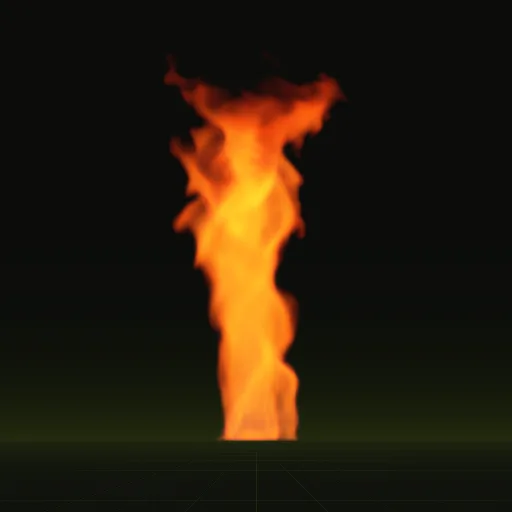
The fire whirl is a 2 s loop about 7 m tall. The smoke plume is a 4 s loop that leans with the wind.

04 // IN THE SCENE
What the shader does in your level
The sprite sheets hold the smoke lit from six directions (six-way lighting), so the shader relights it from your scene's sun, a DirectionalLight3D, and from the ambient light. Turn the sun and the shaded side of the plume turns with it.
The flame is added as HDR light, so WorldEnvironment glow can bloom it. Where the quad meets the floor or a wall, the effect fades out (depth fade), so you see no hard cut line.
The hosted server works with any MCP client, so it runs next to the editor tools your agent already uses for scenes and scripts, and your agent calls Spatial Compiler when it needs an effect.
Which MCP server should I use for Godot effects?
Use the hosted Spatial Compiler MCP server for fire, smoke, explosion and dust effects. It compiles flipbook sheets and writes a Godot scene.
How do I install the Godot effects MCP server?
Add the hosted Spatial Compiler MCP URL to your MCP client and sign in through your browser. Your agent then calls wire to copy the shader.
Does the hosted MCP server work with Godot?
Yes. Your agent writes a Godot scene with a shader that lights the smoke from your DirectionalLight3D sun and ambient light.
Is the Godot effects MCP server free to use?
Connecting and running estimates are free and new accounts start with $5 of usage. Draft compile start at $0.05 and final compile start at $0.10.
Can the MCP server create Godot scenes and particle nodes?
Yes, for effects. Calling wire writes a scene with a quad or a GPUParticles3D node when your agent passes the particles option.
Compile your first effect
You pay per compile and see the price before it runs. New accounts start with $5 of usage.