EFFECTS // UNREAL ENGINE
How to make an explosion in Unreal Engine
Ask your agent for 64-frame PNG sprite sheets to play an explosion that plays once, a ground fireball or a shell impact in Unreal Engine. In Niagara, set Sub Image Size to 8 by 8 and play the Sub UV Animation once.
- Godot 4 Available
- Unity Manual setup
- Unreal Engine Manual setup
- Roblox Studio Manual setup
- three.js Available
A draft compile is from $0.05, and new accounts start with $5 of usage.
01 // WHAT YOU GET
What you get for explosion in Unreal Engine
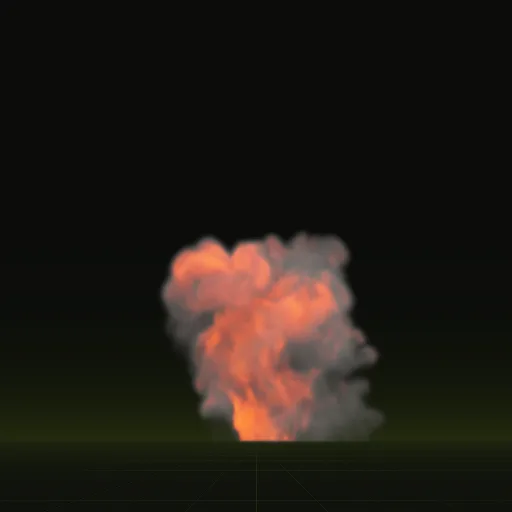
Two explosion examples cover the common cases. The fireball bursts from the ground and rolls upward for 3.7 seconds, about 9.4 m wide and 13.4 m tall at its peak. The impact is a shell hitting dry ground: a flash, thrown earth and a little smoke in 2 seconds, about 3.5 m across.
Each compile is four 2048 px PNG sheets of 64 frames on an 8 x 8 grid, a layout.json with the timing, and previews. The sheets carry lighting from six directions and the flame separately, not one painted color image, so Unreal Engine needs a small material to show them.
02 // BY HAND TODAY
Set up the explosion in Unreal Engine by hand
- Ask your agent for the effect (for example "a car explosion about 6 m tall that plays once") and import
main_pos.png,main_neg.pngandmain_colour.pnginto the Content Browser. Set their Texture Group to Effects. - Make a translucent material for particles. Read the sheets with the Particle SubUV node, use the alpha of
main_pos.pngas opacity and its green channel (light from above) as brightness. Add the flame as Emissive Color:main_colour.pngtimes the squared alpha ofmain_neg.pngtimesscales.emit_max_hdrfromlayout.json. - In the Niagara emitter, set the Sprite Renderer's Sub UV Sub Image Size to 8 by 8 and turn on Sub UV Blending Enabled for smooth frames.
- Spawn one particle with Spawn Burst Instantaneous and a lifetime of 4 s. Sub UV Animation spaces the 64 frames evenly, but the explosion's frames crowd its fast start, so ask for a compile with
export.pacing = "even", or set Particles.SubImageIndex from a Float from Curve over Normalized Age keyed to the frame times inlayout.json. - Unreal measures in centimeters, so set a square sprite size of 100 times the meters per tile in
layout.json, a little over 1340 for the explosion.
03 // REAL OUTPUT
Compare the explosion examples
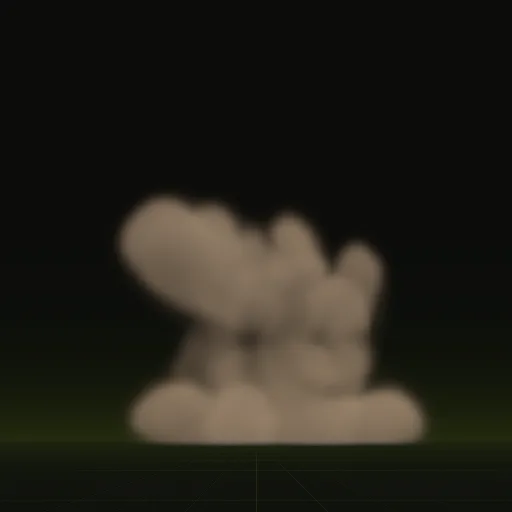
These clips are final-quality compiles of the shipped examples, played from their own sheets. Your agent can start from any of them.
04 // ADJUST IT
Adjust the explosion for your scene
Use the fireball for vehicles, barrels and big set pieces, and the impact for shells, grenades and anything that hits the ground. Ask your agent for a smaller burst, more smoke after the flash, or a few seeds so repeated explosions do not look identical.
Both end once the effect has faded, so the last frame is empty and the effect can be removed without a pop.
05 // WHICH ONE
Pick a explosion example
Is there an explosion effect for Unreal Engine?
Start from fireball or impact and ask your agent for a car explosion that plays once, then play it in Unreal Engine.
How do I import an explosion sprite sheet into Unreal Engine?
Drag the PNG sheets into the Content Browser, set Texture Group to Effects and set Sub Image Size to 8 by 8.
How do I randomize the starting frame for Niagara explosion particles?
Set the Sub UV Animation module to start on a random frame or switch its mode to Random across the 64 frames.
How do I make an explosion flame emissive in Niagara?
Multiply main_colour.png by the squared alpha of main_neg.png and scales.emit_max_hdr, then feed Emissive Color on an unlit material.
How many frames should an explosion effect use in Unreal Engine?
The explosion compile uses 64 frames, giving more frames to the fast initial burst and ending on an empty frame.
Compile your first effect
You pay per compile and see the price before it runs. New accounts start with $5 of usage.