EFFECTS // UNITY
How to make a dust ring in Unity
In Unity, you can play a 10 m ring of dust thrown out by a landing or a blast. Your agent makes PNG sprite sheets of 64 frames, and the Particle System's Texture Sheet Animation, with Tiles set to 8 by 8, plays them once.
- Godot 4 Available
- Unity Manual setup
- Unreal Engine Manual setup
- Roblox Studio Manual setup
- three.js Available
A draft compile is from $0.05, and new accounts start with $5 of usage.
01 // WHAT YOU GET
What you get for dust ring in Unity
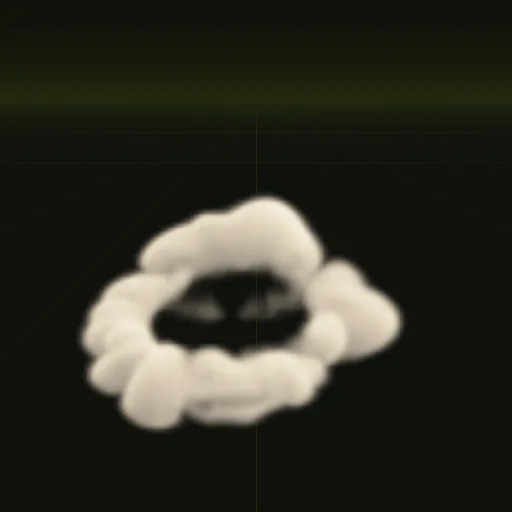
The dust ring is a ring of dust kicked out along the ground by a blast or a heavy landing. It spreads to about 10.5 m wide but stays low, about 2.2 m tall, and plays once over 2.1 seconds. Its camera looks down from 35 degrees, so the ring reads as lying on the ground.
You get four PNG sheets of 64 frames, a layout.json with the timing, and previews, which Unity plays through a small material.
02 // BY HAND TODAY
Set up the dust ring in Unity by hand
- Ask your agent for the effect (for example "a small dust ring when a character lands, played once") and download the output folder. Import
main_pos.png,main_neg.pngandmain_colour.pngwith Wrap Mode set to Clamp and Alpha Is Transparency off. They are data your material reads, not finished pictures, and the alpha ofmain_neg.pngholds flame brightness, which that option would treat as transparency. - Make a material for a Particle System. The quick setup uses the alpha of
main_pos.pngas opacity and its green channel (light from above) as brightness, tinted with your smoke color. Shader Graph's Flipbook node or a small custom shader can read the sheets. - In the Texture Sheet Animation module, set Mode to Grid, Tiles X and Y to 8 and Animation to Whole Sheet.
- Turn Looping off, emit one particle with a Burst, set Start Lifetime to 3 s, Cycles to 1 and Stop Action to Destroy. The dust ring's frames crowd its fast start, so key Frame over Time from the frame times in
layout.json(frame index divided by 64 against time divided by 3 s), or ask for a compile withexport.pacing = "even"and keep a linear curve from 0 to 1. - Keep the particle square and set its size to the meters per tile in
layout.json, a little over 10.5 m for the dust ring, so it shows at its real scale.
03 // ADJUST IT
Adjust the dust ring for your scene
Use it under explosions, helicopter landings and ground slams. Ask your agent for a smaller ring for a character landing, a sandier color for a desert or a slower spread for a heavy vehicle.
04 // SETTINGS
Settings in the dust ring spec
A ring-shaped source throws cold dust outward at 14 m/s for 0.15 s, and drag slows it so it settles. Front pacing gives the fast first moments more frames.
Ask your agent to change these and compile again; the full dust_ring spec lists every value.
Is there a dust ring effect for Unity?
Start from the dust ring example and ask your agent for a small landing dust ring, then play the sheets in Unity.
How do I play the dust ring once instead of looping it in Unity?
Turn Looping off, emit one particle with a Burst, set Start Lifetime to 3 s and key Frame over Time from layout.json.
How do I make a realistic dust ring in Unity?
Use a simulated ring instead of manual particles. A ring source throws cold dust outward while drag slows the spread.
How do I keep the dust ring in proportion in Unity?
Keep the particle square because every tile is square. Set 3D Start Size from meters per tile in layout.json, just over 10.5.
What resolution should each dust ring frame use in Unity?
Each frame is 256 px square by default for close views or ask for 128 px tiles when dust covers less screen.
Compile your first effect
You pay per compile and see the price before it runs. New accounts start with $5 of usage.