GAMES // SHOOTER EXPLOSION
Explosion effects for a shooter game
In a shooter your player sees explosions from a few meters away, so pick a burst that holds up close and starts on the exact frame of the hit. Use a 3.7 s fireball for fuel barrels and vehicles and a 2.0 s ground impact for grenades, then fire the sound and camera shake on the same frame.
- Godot 4 Available
- Unity Manual setup
- Unreal Engine Manual setup
- Roblox Studio Manual setup
- three.js Available
A draft compile is from $0.05, and new accounts start with $5 of usage.
01 // ON SCREEN
How big the fireball reads in first person
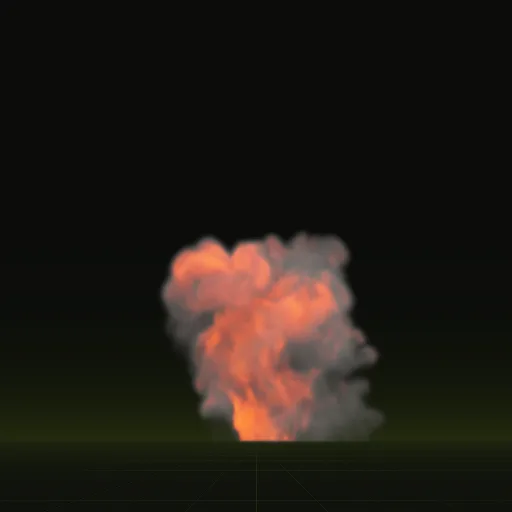
The fireball compile rolls up to 13.4 m tall and 9.4 m wide, the size of a fuel tank or a car going up. With Godot's default camera (a 75 degree field of view), the screen covers about 38 m top to bottom at 25 m, so the fireball fills a third of the view. At 10 m it fills nearly all of it.
The impact compile is 3.5 x 2.8 m, a grenade or shell hitting dirt. At 8 m the screen covers about 12 m top to bottom, so the impact takes up roughly a quarter of the height, close to the 256 px of one tile on a 1080p screen.
02 // REAL OUTPUT
The fireball and the impact
Both play once and end when the effect has faded.
03 // CLOSE UP
Resolution for explosions up close
Each frame of a default compile is a 256 px tile. A fireball that fills a 1080p screen from 10 m spreads those 256 px over nearly 1,000 px, so it looks soft. For the one or two set-piece explosions a player meets up close, ask your agent to compile with export.tile_px = 512, which makes each sheet 4096 px.
A 4096 px sheet holds four times the pixels of the default, and the fireball has four sheets. Keep grenades and distant blasts at 256 px and use larger tiles where the camera gets close.
04 // HOW TO
Trigger the explosion in Godot 4
- Ask your agent to compile the
fireballandimpactexamples at final quality intores://fx/and callwireon each. - Turn
autoplayoff on the scene and instance it where the hit lands. The scene's origin sits on the ground. - Drive
time_sfrom 0 to the clip length, the time the 64 frames span (4 s for the fireball, 3.2 s for the impact), and free the node at the end. - Play the sound and start the camera shake in the same function, so all three start on one frame.
extends Node3D

const FIREBALL := preload("res://fx/fireball.tscn")

func explode(at: Vector3) -> void:
	var fx: Node3D = FIREBALL.instantiate()
	fx.autoplay = false
	add_child(fx)
	fx.global_position = at
	var tween := fx.create_tween()
	tween.tween_property(fx, "time_s", 4.0, 4.0)
	tween.finished.connect(fx.queue_free)
	$ExplosionSound.play()
	# start your camera shake here too
The flame is added as HDR light, so with glow on in your WorldEnvironment the core blooms without a real light. More on timing in sound and shake.
How do I synchronize a shooter explosion with sound and screen shake?
Start all three from one function by beginning the time_s tween, playing the sound and triggering camera shake on the exact hit frame.
How do I make a shooter explosion cast dynamic light without spawning too many lights?
Let HDR flame and WorldEnvironment glow carry most blasts and add a short lived OmniLight3D only for large explosions near the player.
How do I combine a fireball, smoke and shockwave into one shooter explosion?
Instance the fireball, a dust_ring for ground shock and a smoke_column at the same ground point so their origins align without offsets.
Does the shooter fireball effect work in a 3D Godot map?
Yes. The compiled 3D scene places a quad sized in meters with its origin on the ground, lit by your sun and ambient light.
Compile your first effect
You pay per compile and see the price before it runs. New accounts start with $5 of usage.